




Your whole lot, on your own computer.
Dealer Garage is dealership software you install instead of rent. Stock, leads, deals and paperwork are all kept on the office machine, so the lot keeps selling when the internet goes down.
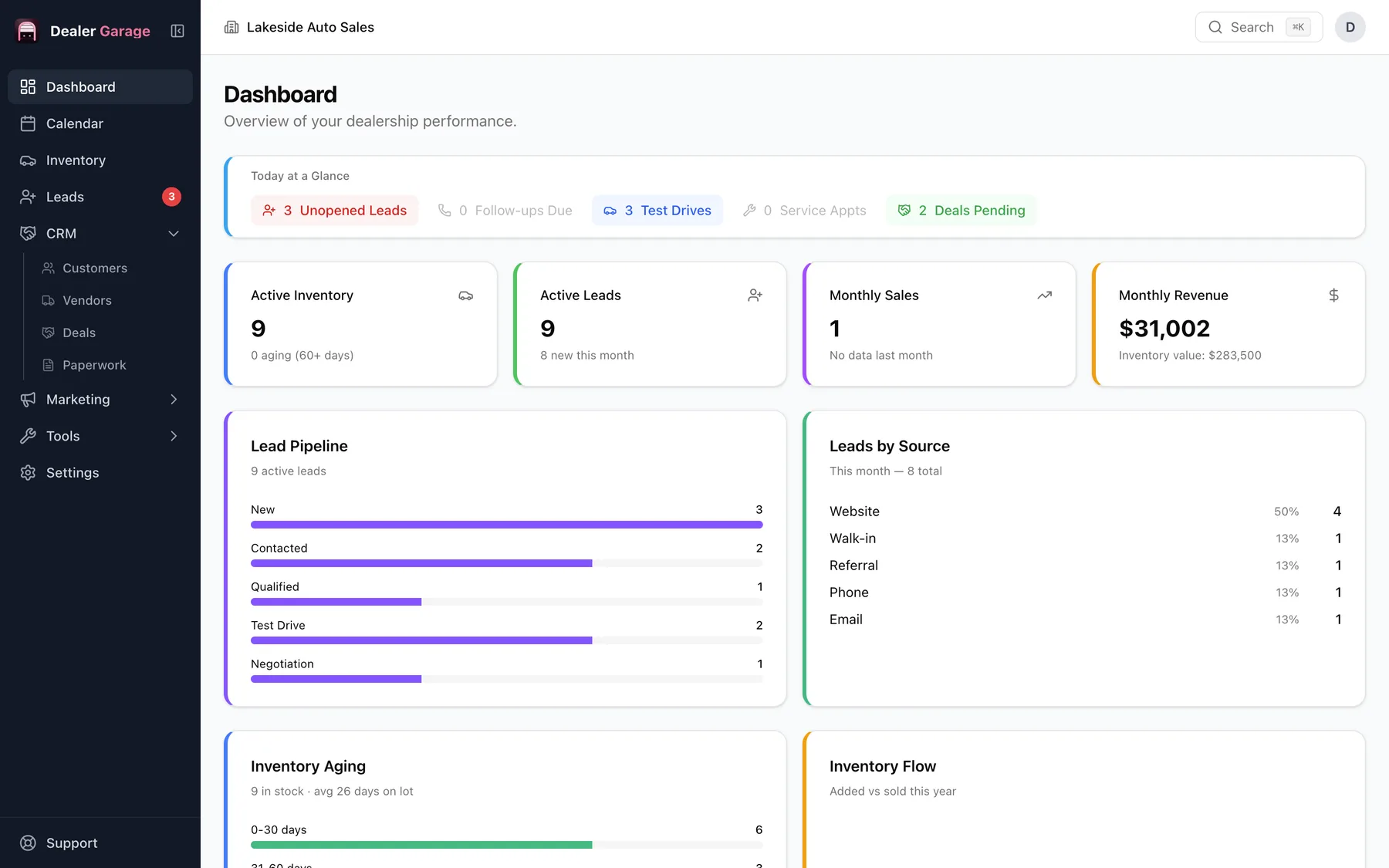
Built for the lot
From the auction lane to the signed deal.
One app follows every car and every customer through the whole sale. These are real screens from Dealer Garage.
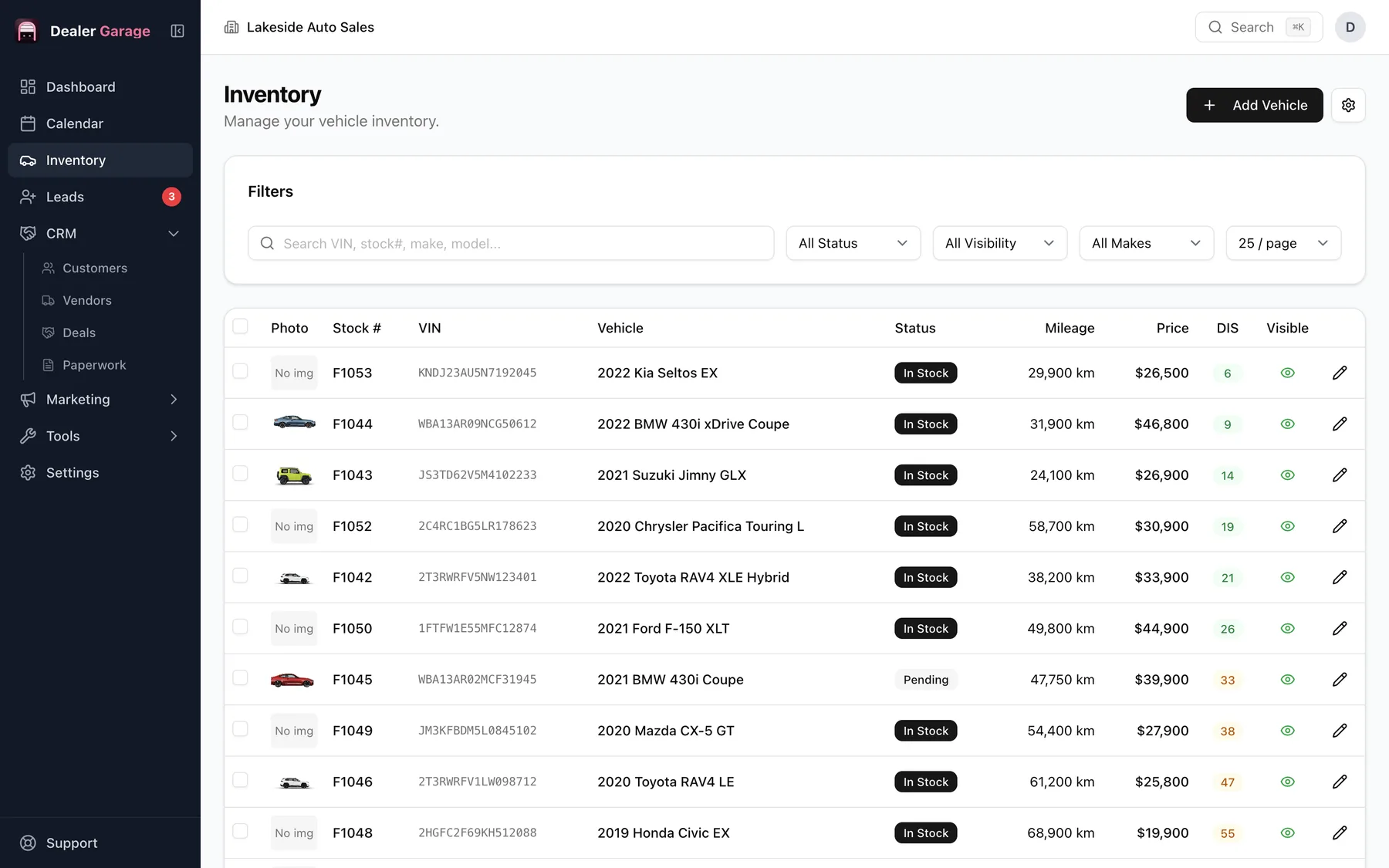
Inventory & pricing
Know every unit and what it cost you.
VIN decode, multi-photo galleries, internal notes, cost tracking, and instant updates across the app. Add a car, decode the VIN, record what you paid and every repair, and watch the true gross before you price it.
- Paste a VIN and the year, make, model and trim fill in
- Buy price, recon costs and true gross on every car
- Printable window stickers for every vehicle
- A local-network address so staff or guests on your Wi-Fi can browse your stock
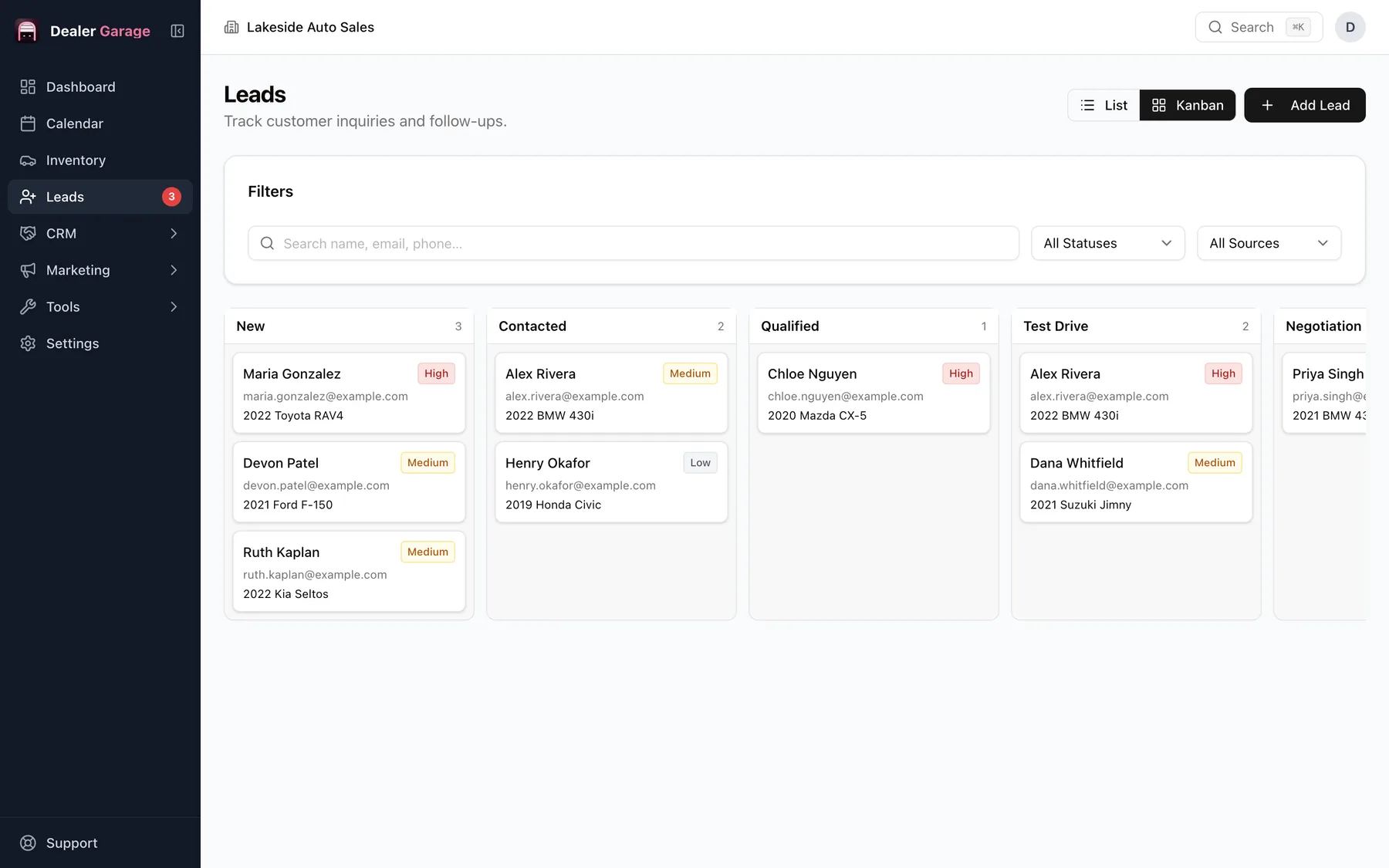
Customers & leads
No enquiry slips through the cracks.
Capture leads from forms, manual entry and inbound email. Track conversations and convert them to deals. Drag each lead across the board as it moves from first contact to test drive to sold.
- A Kanban pipeline: drag leads through the funnel stages
- Leads from listing sites arrive by email (ADF/XML) and appear on the board
- An online finance form on your office network drops applications straight in as leads
- An unopened-leads badge and a Today-at-a-glance strip show who needs a reply
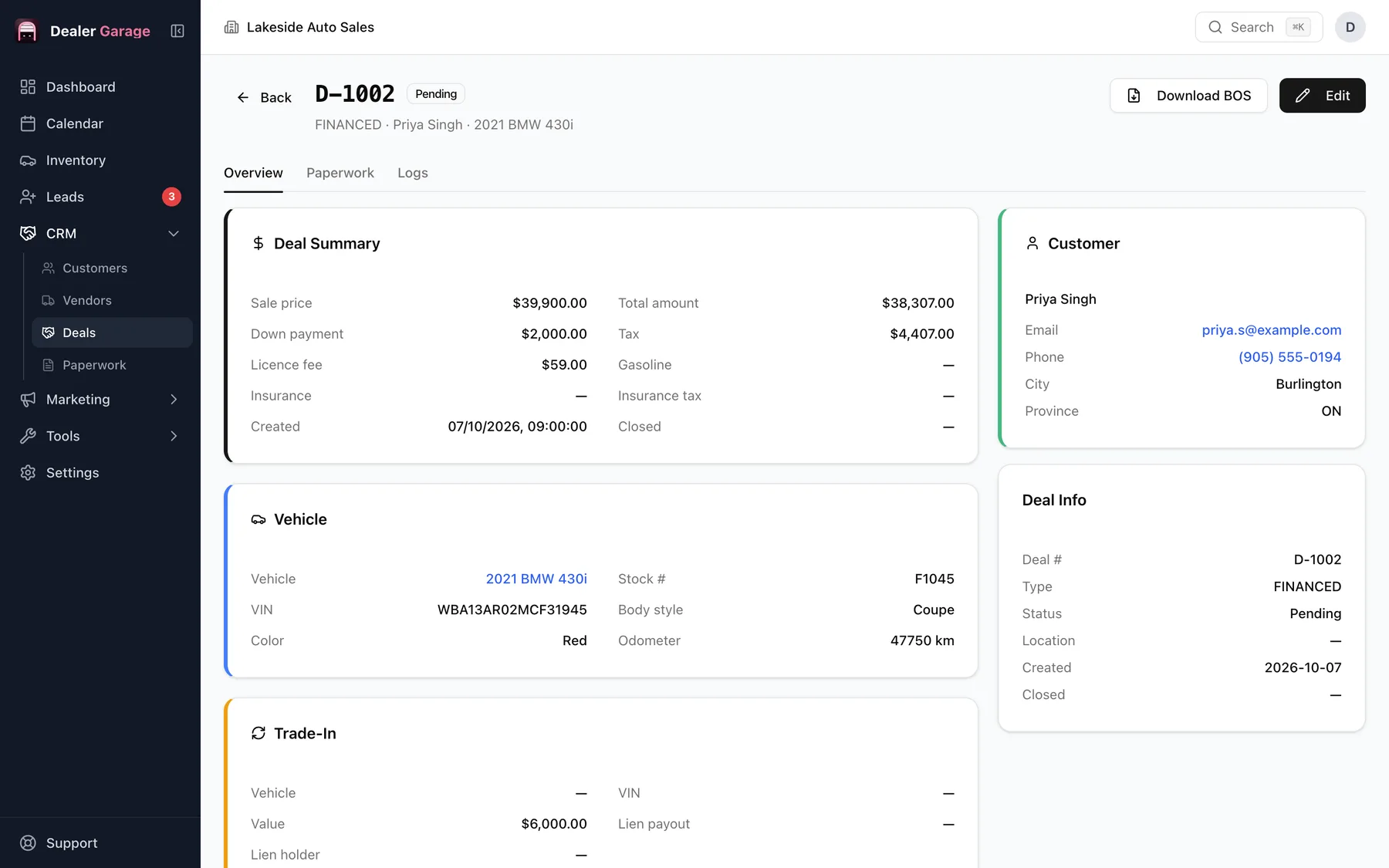
Deals & paperwork
Type it once, print it everywhere.
Bill of sale, credit application, retail instalment contract, GAP and warranty forms, all filled in from the deal. Taxes and fees are worked out for your province or state, and every form prints cleanly on letter paper.
- One-click bill of sale, ready to print
- A UCDA bill of sale template for Ontario dealers, and the AMVIC vehicle disclosure for Alberta
- About 50 forms for every province and territory and a US set
- Garage register: a ledger of every completed sale, exportable to CSV
Email campaigns
Reach past customers with something worth opening.
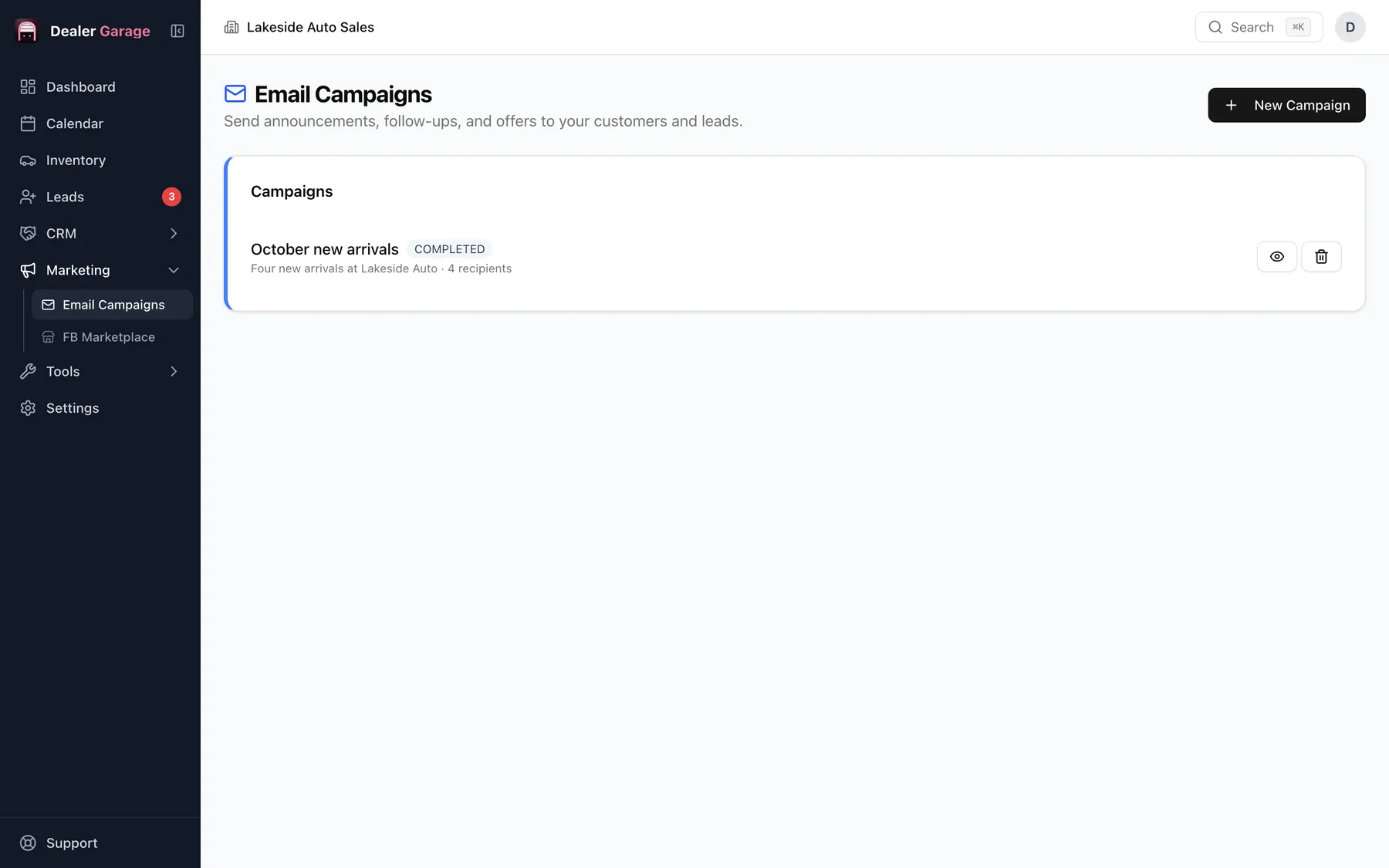
Send targeted emails to customer segments: service reminders, follow-ups and promotions. Ready-made templates fill in each customer's name, and every recipient shows as sent or failed.
- Promotion and four-vehicle new-arrivals templates
- Merge tags such as the customer's first name
- Sends through your own mail account
Facebook Marketplace
List on Marketplace without retyping.
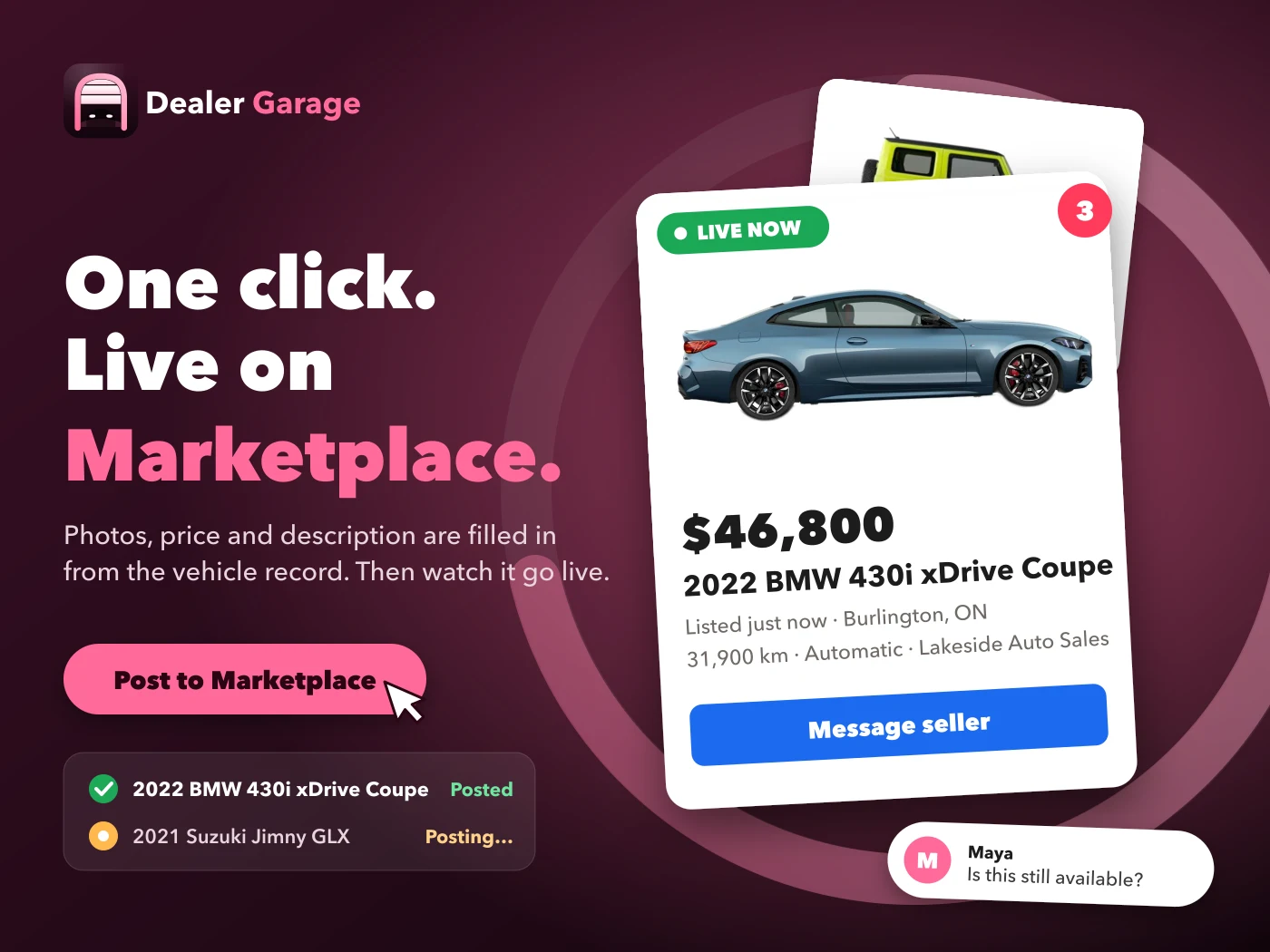
Post your inventory to Facebook Marketplace in one click with the included Chrome extension. It fills in each vehicle listing from your records, photos included, from your own Facebook account.
- A queue shows what is waiting, posted or failed, with retry and cancel
- Details, price and description are built from the vehicle record
- Posts from your own signed-in account
Backup & restore
Your records, in one file you control.
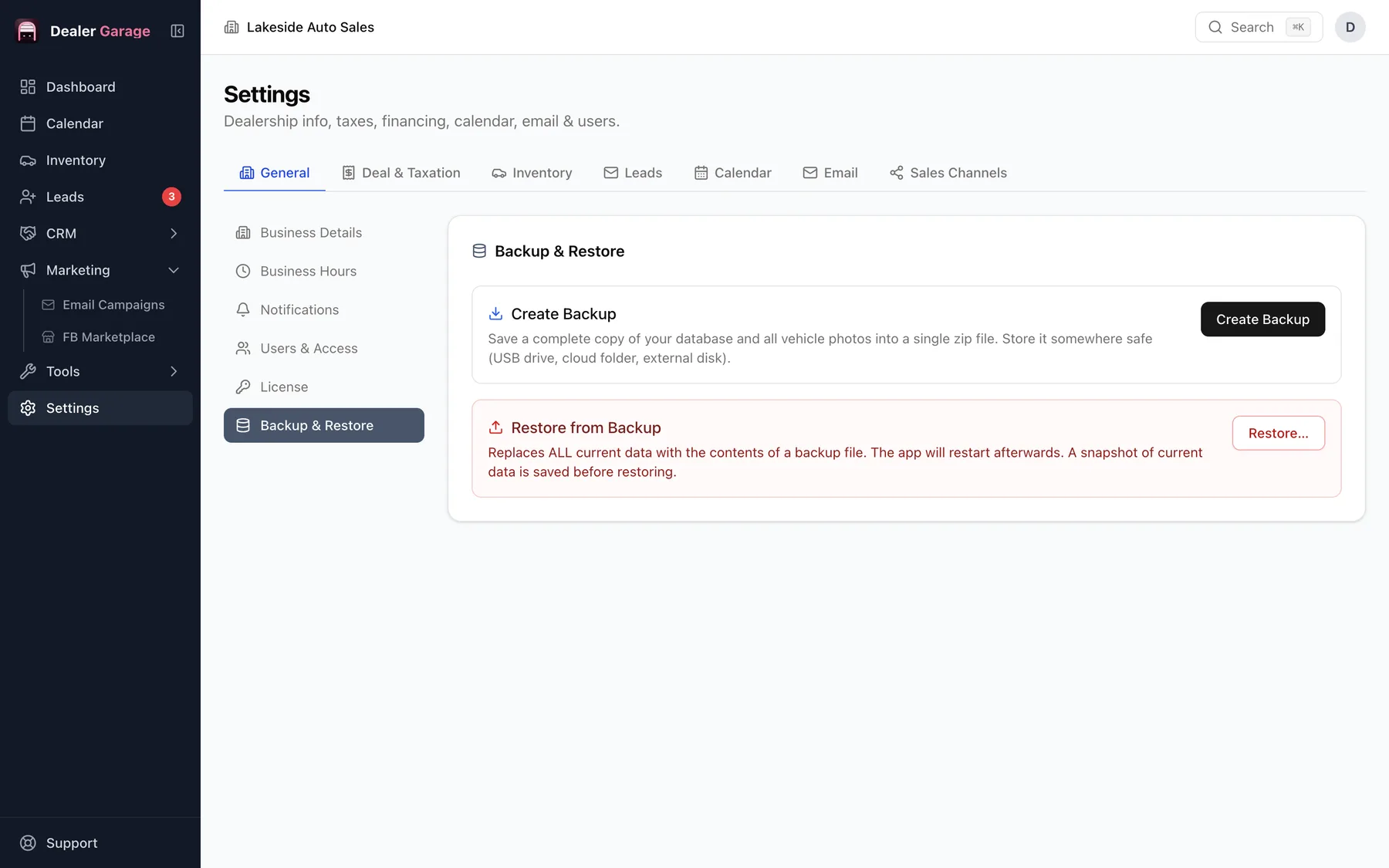
Export your full database any time and restore it on a new machine in seconds. You own your data.
- Saves the database and every vehicle photo into one zip file
- Restore replaces the current data and takes a snapshot first
- Move your licence to a new computer from Settings
Everything in the app
The details a busy lot depends on.
Every feature in Dealer Garage, in one place. Each one has its own page.
VIN Decoder
Paste a VIN and get the year, make, model and trim filled in.
Purchase & Cost Tracking
Track buy price, recon costs and true gross on every car.
Window Stickers
Auto-generated, printable window stickers for every vehicle.
Share Inventory by Local URL
Generate a local network address so staff or guests can browse your inventory from any device on your Wi-Fi.
CRM
A full pipeline view from first lead to repeat customer.
Customer Management
Profiles, deals and an activity log for every customer in one place.
Vendor Management
Track auction sources, wholesalers and finance partners.
Kanban Lead Pipeline
Drag leads through the funnel stages: visual, fast and intuitive.
Lead Notifications
An unopened-leads badge and a Today-at-a-glance strip show a new lead the moment you open the app.
Calendar
Schedule appointments, test drives and follow-ups in one view.
Online Finance Form
A shareable finance application form on your office network. Submissions land straight in the app as leads.
Deal Management
From quote to delivery, every deal stage on one screen.
Bill of Sale
One-click bill of sale generation, ready to print.
UCDA Bill of Sale
A UCDA template for Ontario dealers.
Ontario & Alberta Forms
Ontario forms and the AMVIC vehicle disclosure for Alberta dealers, alongside every other province, territory and the US.
Paperwork
Credit application, retail instalment, GAP and warranty forms, all auto-filled.
Print-Ready Forms
Every contract prints cleanly on standard letter paper.
Garage Register
A ledger of every completed vehicle sale: filter it, print it and export it to CSV.
Sales Reports
The dashboard shows monthly sales and revenue, the lead pipeline, leads by source, inventory aging and what sells fastest.
Tax & Fees Calculator
Tax and fee math built into every deal, using the tax lines you set for your province or state.
Deals & Tax Settings
Configure tax rates, fees and finance terms for your region.
Payment Calculator
Compare up to three financing options side by side in front of the customer.
Multiple Device Installation
One Pro licence activates several computers: your team works together in real time.
User Management
Add staff with role-based permissions and seat keys (Pro).
Global Search
One box finds vehicles, customers, deals, anything.
Document Drive
Keep scans, receipts and contracts in a folder inside the app, included in every backup.
Local Backup
Export your full database to a file any time. Restore in seconds.
Local-First Data
Your data lives on your machine. We can't see it.
Why desktop
Your records stay in your building.
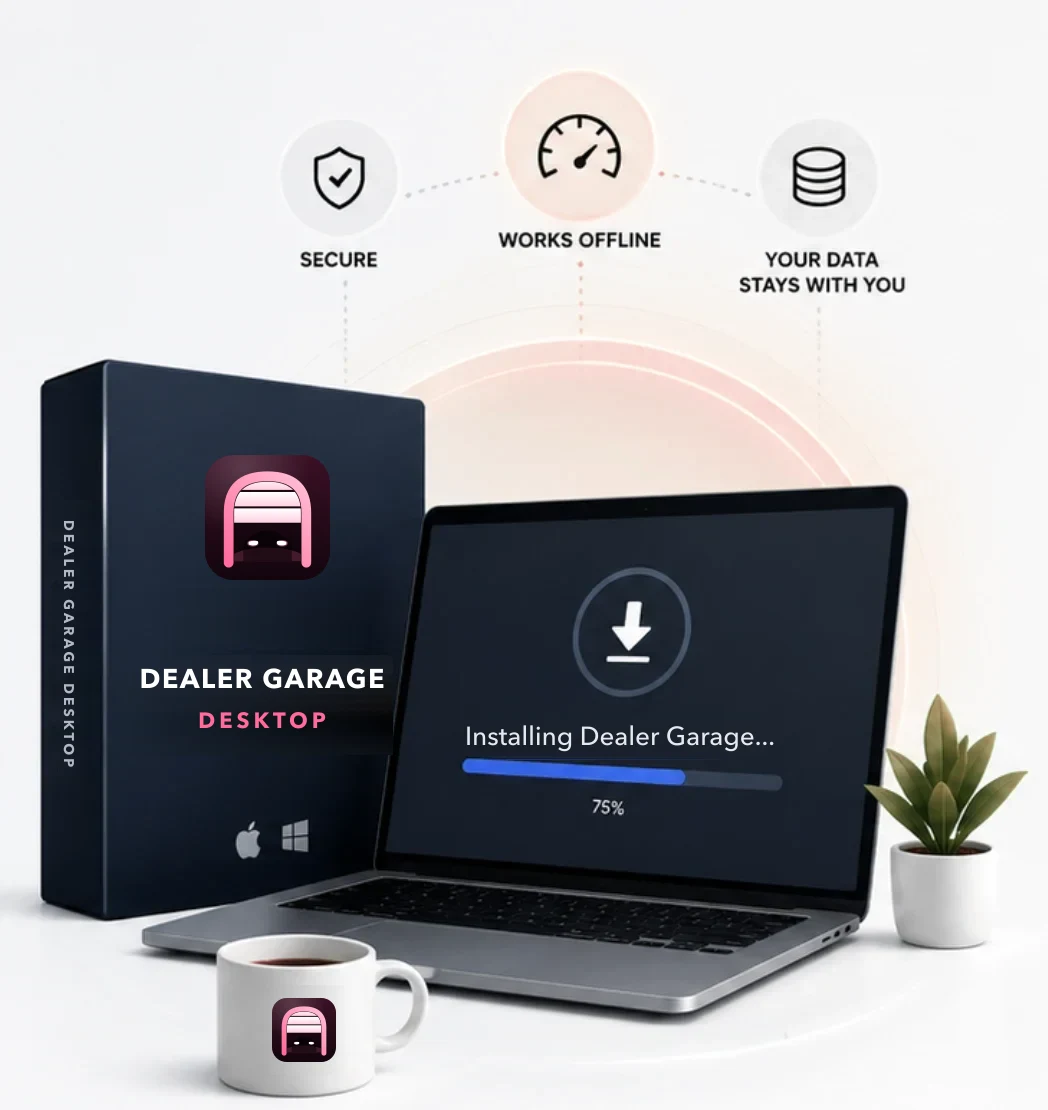
Customer details, deal files and photos are stored on the dealership's computer. Nothing is uploaded unless you use an online feature such as Marketplace posting or email.
- ✓ Works through internet outages
- ✓ No per-user monthly fees
- ✓ Move to a new computer whenever you like
Learn more
Every feature, explained.
Short pages on how each part works and what it needs.
Pricing
Buy it once. Keep it.
Start free and upgrade when you need more. Paid plans are one-time purchases in USD.
- Inventory
- Manual leads
- Customers
- Vendors
- Deals (without bill of sale and garage register)
- Paperwork
- Backup and restore
- Everything in Free, plus:
- Lead sync with third parties
- Bill of sale creation
- Garage register
- Facebook Marketplace auto-posting
- Email campaigns
- Online forms
- Everything in Basic, plus:
- Multiple device installation
- Seat keys for each staff machine
Get started
Up and running today.
Download & install
Pick your platform. Open the file, drag it to Applications (Mac) or run the installer (Windows).
Activate your licence
Buy a licence key and paste it in Settings, Licence. It works for the lifetime of the version. The free plan needs no key.
Start running
Add inventory, capture leads, post to Marketplace, close deals. All from one app.
Not sure which Mac you have? Apple menu, About This Mac: "Apple M1" (or M2, M3, M4) means Apple Silicon; "Intel" means Intel.
FAQ
Questions dealers ask.
Will this work without internet?
Yes. Once activated, the app runs fully offline. Internet is only needed for the one-time licence activation and for features that need it, such as VIN decoding, Marketplace posting and sending email.
Where is my data stored?
Everything stays on your computer: inventory, customer data, deals and photos. We never see your data. You can back it up to a file any time from Settings, Backup and Restore.
How does device activation work?
Basic licences activate one device. Pro licences can activate several devices and create seat keys, so staff can connect their own machines (reception, sales and so on) and work together in real time.
What if I switch computers?
Back up on the old machine, install Dealer Garage on the new one and restore the backup. Then open Settings, Licence and transfer your licence to the new device; a one-time code is emailed to you.
Is the Mac app safe to install?
Yes. The Mac app is signed with an Apple Developer ID and notarised by Apple, so macOS opens it cleanly with no security warnings.
What about Windows?
Dealer Garage runs on Windows 10 and 11. The Windows installer is currently unsigned, so Windows SmartScreen may show "Windows protected your PC" on first install: choose More info, then Run anyway. A signed installer is planned.
Which provinces, territories and states are covered?
All of them. Dealer Garage includes a form set for every Canadian province and territory (50 or 51 forms each, with local items such as the AMVIC and VSA disclosures and Quebec hypothec registrations) and a general US set of 47 forms. State titling and registration forms still come from your DMV. See the list by region.
Run your lot your way.
Download Dealer Garage free and set up your first vehicle in minutes. Upgrade only when the lot needs it.