



Time tracking you own, not rent.
Clockgauge tracks your team's hours on your own computer. Employees see exactly what is recorded before they start, you see who is working on what, and it is paid for once, not per person every month.
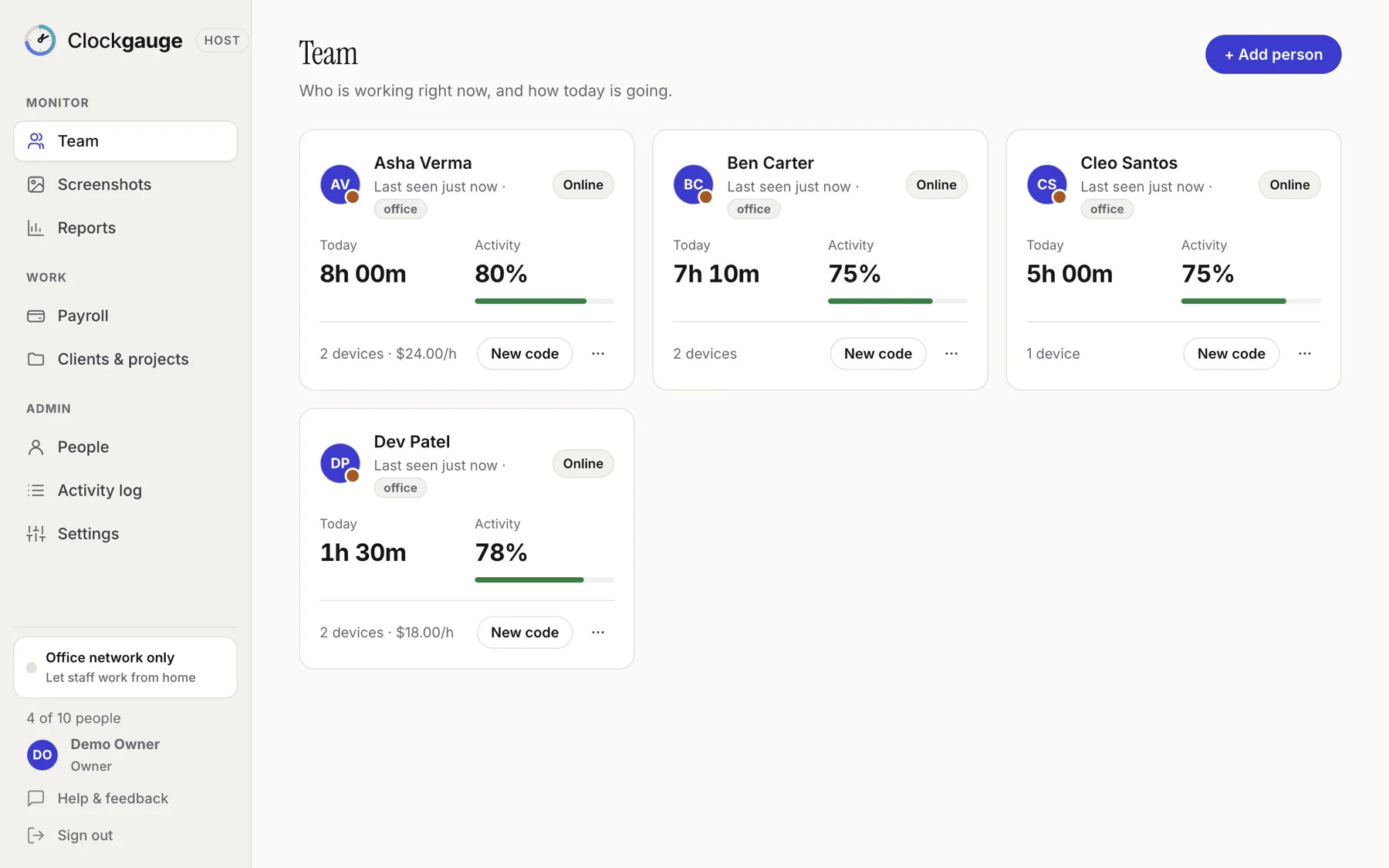
What it does
From the timer to the invoice.
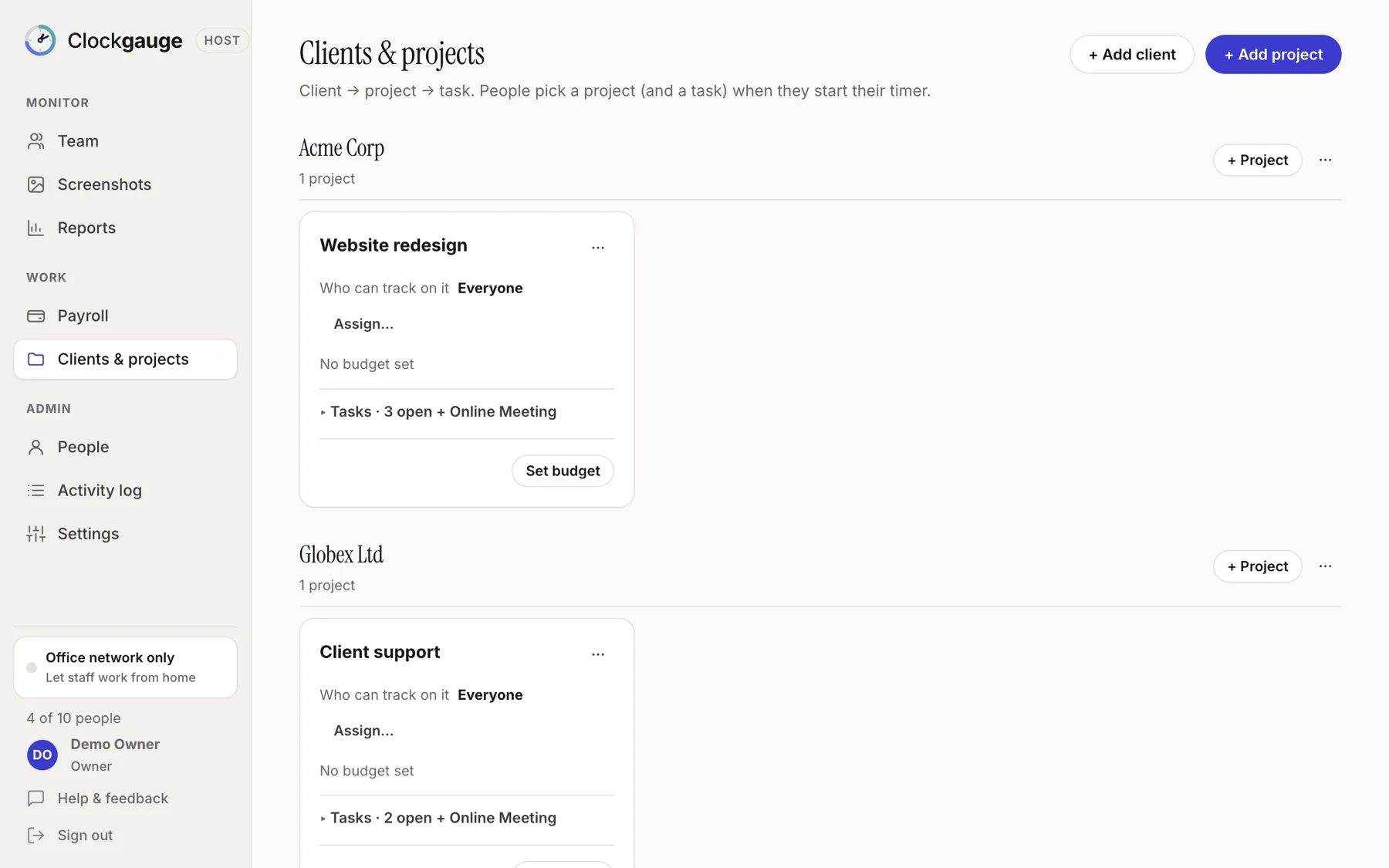
One structure for everyone's hours: client, project, task.
Clients, projects, tasks
Every hour lands somewhere on purpose.
Organise work as clients with projects and tasks. Assign people to projects, and by default nobody can start a timer without choosing both a project and a task, so the numbers are honest.
- An "Online Meeting" task is added to every project
- Hour or cost budgets with warnings, and optional pause at 100%
- Switch task without stopping; each task is recorded separately
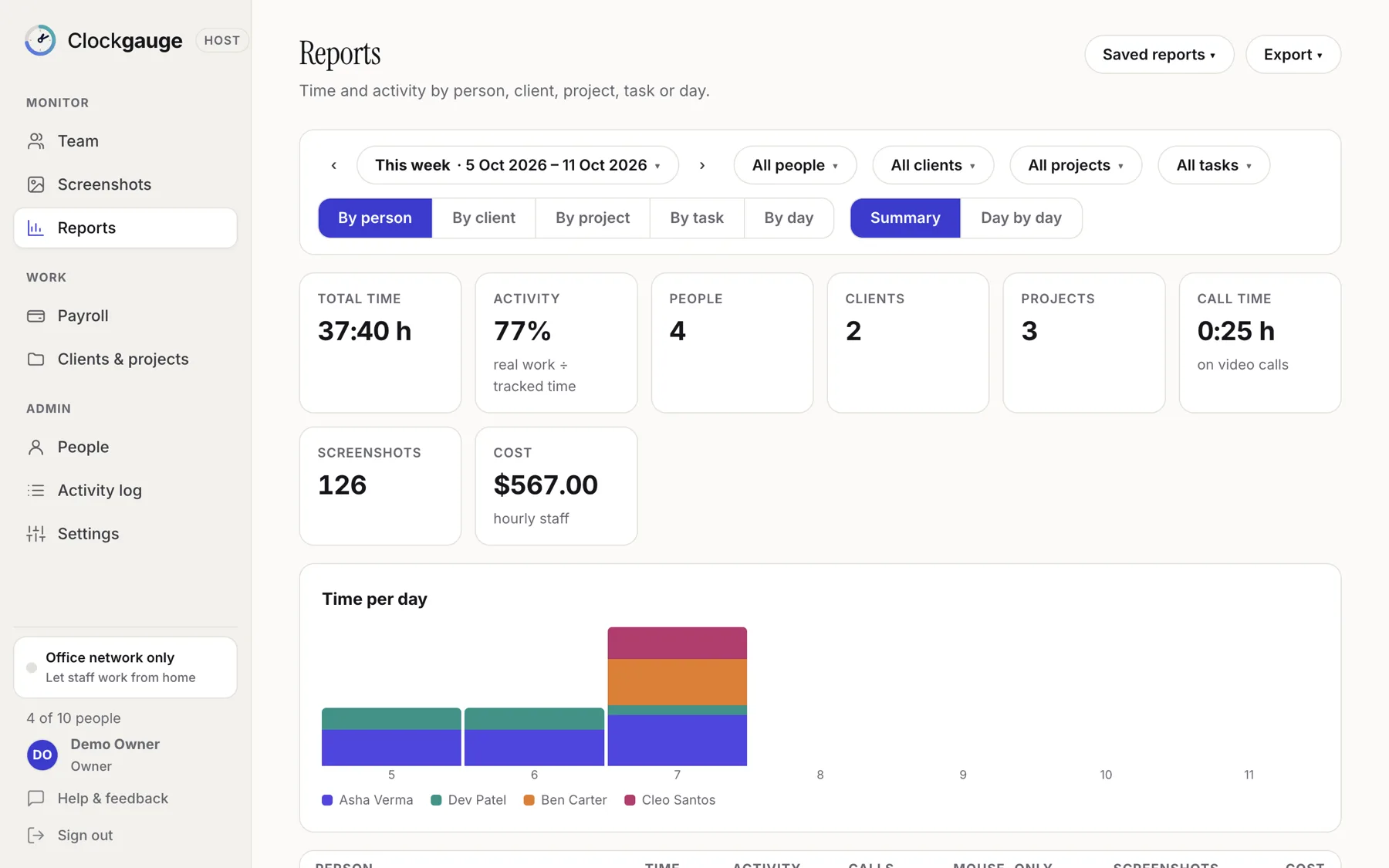
Reports
Answer "where did the time go?"
Group by person, client, project, task or day. Filter, save a report for yourself or share it, and export to Excel, CSV or PDF. Reports include activity, call minutes, screenshots and cost.
- Day-by-day matrix or summary
- Saved reports, private or shared
- Cost from hourly rates, ready for client invoices
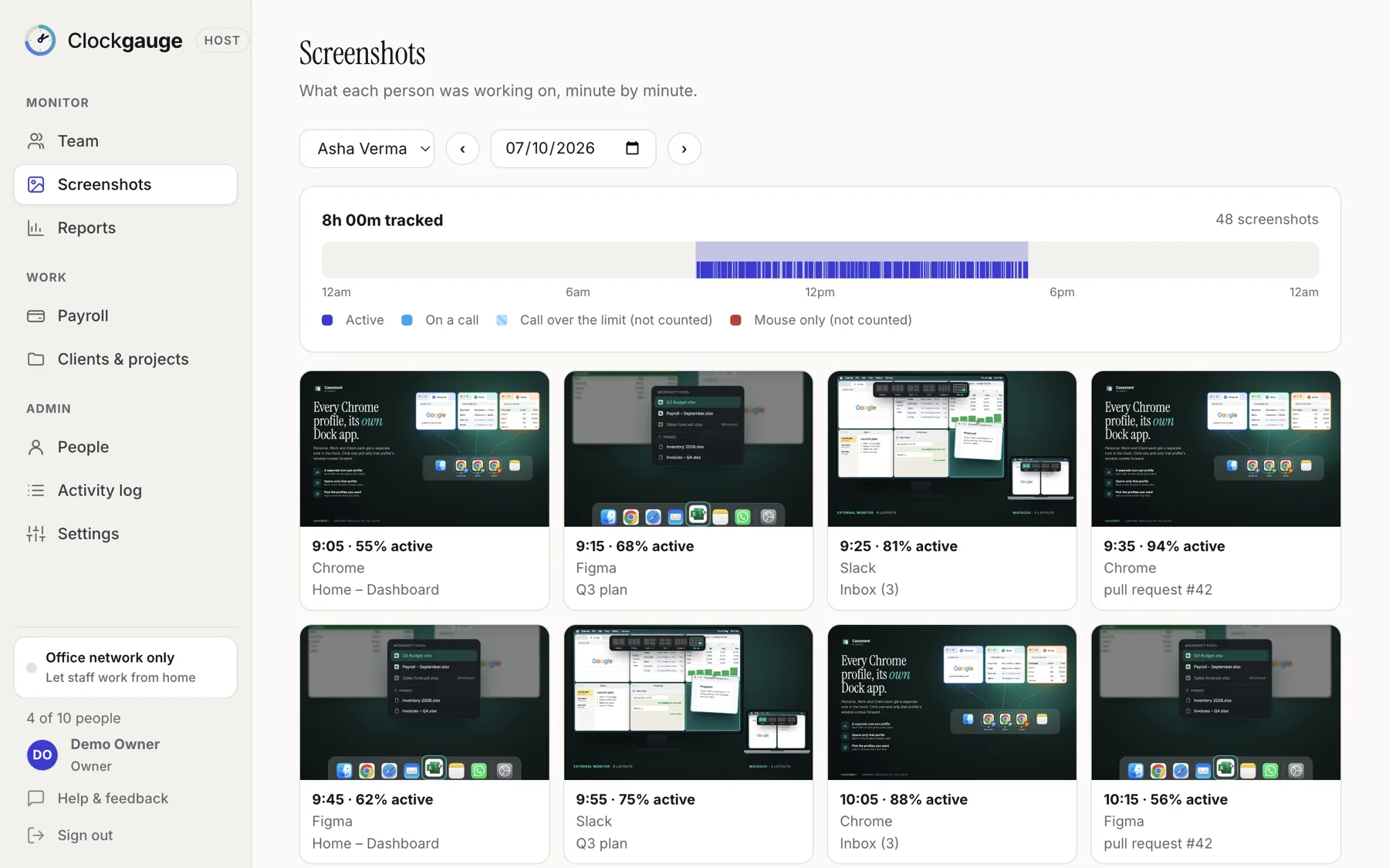
Screenshots, with consent
Random, announced and short-lived.
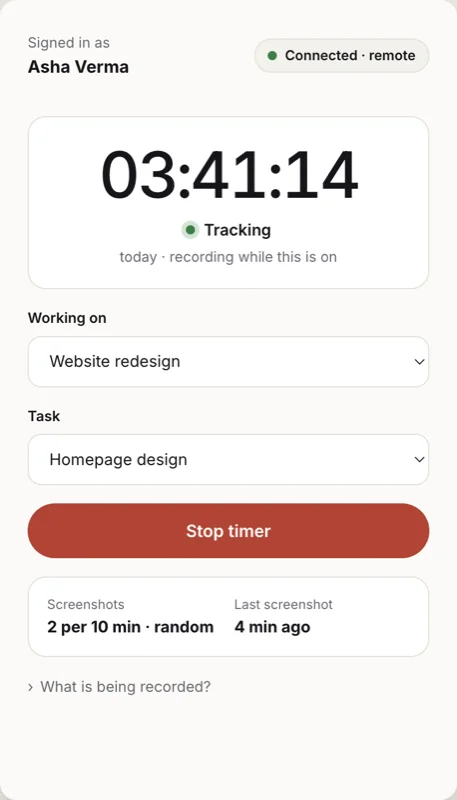
One to three screenshots in each ten-minute window, at random moments, only while the timer runs. The employee is told each time, text can be blurred, and screenshots delete themselves after a period you choose.
- Organised by person and date, encrypted on disk
- Move between screenshots with the arrow keys
- No keystroke content, audio or video, ever
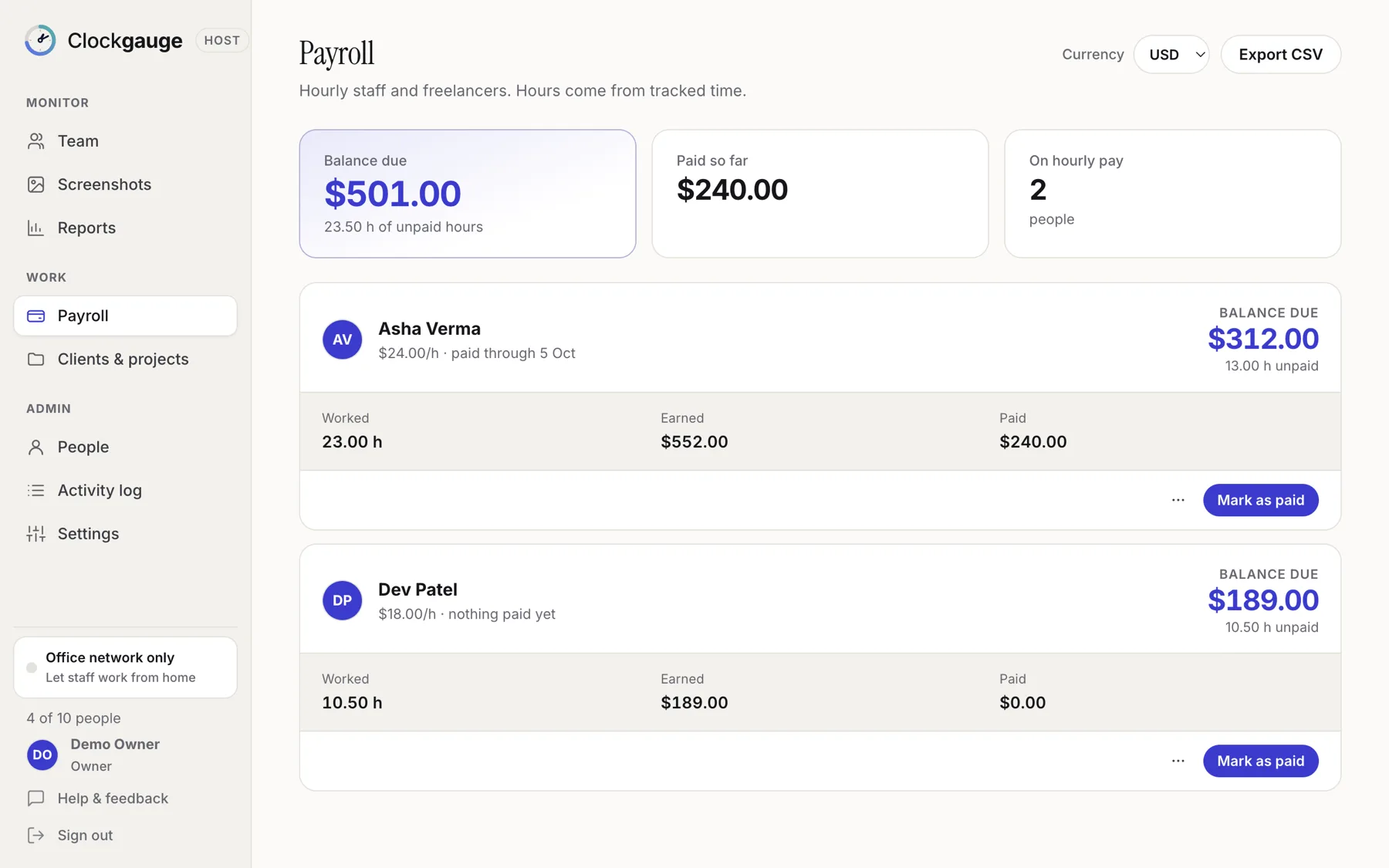
Payroll balances
Hours, rate, what you owe.
For hourly staff and freelancers, Clockgauge works out earned, paid and unpaid amounts with rates that keep their history. Record payments, part-payments, holds and cancellations, and export to CSV.
- Partial payments leave the right balance
- Salaried people can be left out of pay tracking
- Records payments; it does not move money
Built for trust
Fair to the people being tracked.
Tracking that employees understand is easier to run and easier to defend.
Consent first
A plain-language screen lists what is and is not recorded before the first timer. Every screenshot comes with a notice.
Counts, not content
Activity is how much people type, click and scroll. Never the keys, never passwords, never call audio.
Employee controls the timer
Stop it for breaks and personal time. Nothing is recorded while it is stopped.
Jiggler-aware
Real input counts. Mouse-only movement stops counting after five minutes, and a software jiggler is flagged.
Calls are work
Optionally count video calls as active, with a cap so a forgotten call does not count all day.
Encrypted end to end
Screenshots go straight to your Host over an encrypted channel pinned to your Host's identity, and are encrypted on disk.
Works from home
Staff connect with a company name and a one-time code. No VPN, no router changes.
Keeps going offline
If the connection drops, the app saves everything and sends it in order afterwards.
Roles and an audit log
Owner, Manager, Payroll and Viewer accounts, lockouts and a record of who changed what.
How it works
Two small apps.
The Host stays in the office. The employee app goes everywhere.
Clockgauge Host runs on an office computer and keeps the database, the screenshots and the dashboard. Each person installs the employee app and connects with a one-time code. In the office it finds the Host directly; from home it uses your company name, and screenshots travel straight between the two computers.
The Host computer has to be on while people work, and it is yours to back up. In return your data is yours.
Pricing
Buy it once. Renew only for updates.
Purchases are tied to your email address, with no licence key to keep. Prices in US dollars.
- 1 host and 1 employee
- Every feature
- Remote access included
- Backup and restore
- Includes the first year of updates
- Then $20 a year, optional
- Nothing switches off if you stop
- Moves to a new computer with your email
- Includes the first year of updates
- Then $100 a year, optional
- Upgrade from 20 for the difference
The yearly fee covers updates and support. If you do not renew, the app keeps working as it is.
Get started
Up and running in an afternoon.
Install the Host
Put Clockgauge Host on an office computer that stays on during work hours and create the owner account.
Add people and projects
Add each person, give them a one-time code, and set up clients, projects and tasks.
They install and agree
Each person installs the employee app, enters the code, reads what is recorded and starts a timer.
Host: for the office computer
Employee app: for everyone else
Mac: Apple Silicon and Intel · Windows 10 and 11 (64-bit). Get the Host for the office computer and the employee app for everyone else; a Mac and a Windows PC can work together.
The installers are not yet signed with a publisher certificate, so Windows SmartScreen may say "Windows protected your PC" the first time: choose More info, then Run anyway. The Host also asks Windows Firewall to allow it on your private network; choose Allow so staff in the office can connect.
FAQ
Questions teams ask.
Does Clockgauge record keystrokes?
No. It records how much people type, click and scroll as counts per minute, never what they type. It never records passwords, audio or video of calls, or anything while the timer is stopped.
Where is the data stored?
On the Host computer, in your own data folder. Screenshots and activity travel directly from the employee's computer to the Host over an encrypted channel, not through our servers.
Can people work from home?
Yes. They connect with a company name and a one-time code, with no VPN or router changes. If their connection drops, the app saves data and sends it later.
Do employees agree to being tracked?
Yes. Before the first timer the employee app shows what is and is not recorded and requires agreement. Employees start and stop their own timer and are told about every screenshot.
Which computers does it run on?
Mac (Apple Silicon and Intel) and Windows 10 and 11, 64-bit. The Host and the employee apps can be on different systems.
Can managers log in from other computers?
Not yet. The dashboard runs on the Host computer. Remote manager access is not built in.
What happens if my Host computer breaks?
Restore your latest backup on a new computer. People, pay, settings and device pairings come back, and staff reconnect without new codes.
Is employee monitoring legal?
Rules differ by country, state and province. See our overview and a policy outline, and take advice for your situation.
Know where the hours go.
Start free with one host and one employee. Upgrade once when the team grows.