



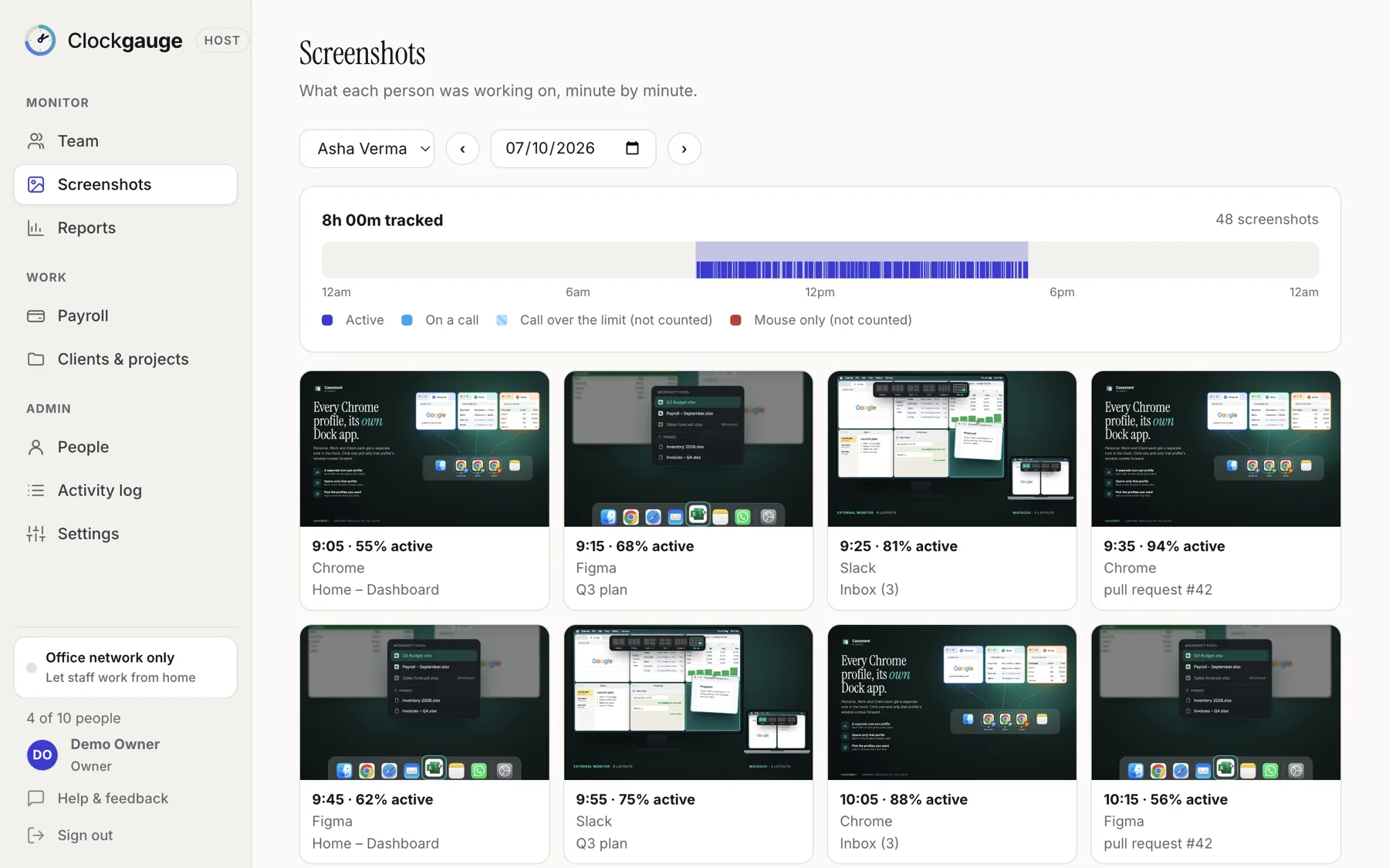
While a timer runs, Clockgauge takes one to three screenshots in each ten-minute window (two by default) at random moments within the window. The employee is told each time and agreed to this on the consent screen. Screenshots go to the host computer encrypted, can be blurred so text is unreadable, and are deleted automatically after a number of days you choose (30 by default).
Random, not regular
Fixed intervals are easy to anticipate. Clockgauge divides time into clock-aligned ten-minute windows and picks random moments inside each, at least 45 seconds apart. You choose one, two or three per window.
Only while the timer runs
Nothing is captured when the timer is stopped, which is how people take breaks and keep personal time personal. They can stop at any moment. Clockgauge records only while the employee's own timer is running, and shows them exactly what it records before they start.
Blur
A blur setting makes screenshots show the layout and the app but not readable text. It is a host-wide choice, made by the manager, and the consent screen tells the employee when it is on.
Where they go
- Straight to the Host computer over an encrypted channel, never through our servers.
- Stored encrypted on disk in a folder named for the person (their number and name) and organised by date.
- Removed automatically after your retention period.
- Viewable on the Screenshots page with a timeline of the day and arrow keys to move between them.
Read more in security and encryption and storage and retention.
Choosing your settings
| Setting | Lighter touch | Stricter |
|---|---|---|
| Screenshots per ten minutes | 1 | 3 |
| Blur | On: layout visible, text unreadable | Off: full detail |
| Retention | 7 to 14 days | 30 days or more |
Start with the lighter settings, tell the team and tighten only if you need to.
Reviewing screenshots
On the Screenshots page choose a person and a day. A timeline shows when they were tracking; below it is a grid of screenshots with the app and window title. Open one for full size and move through the day with the arrow keys.
Questions people ask
Can the employee delete a screenshot?
The manager can delete screenshots from the Host. Employees see a notice when each one is taken.
Are screenshots taken when the computer is idle?
No. Idle time pauses the timer, and nothing is captured while it is stopped.
Does it record audio or video?
No. It never records what is said or shown on a call.
Try Clockgauge
Clockgauge is an employee and freelancer time tracker that runs on your own computer: timers, consented random screenshots, activity levels, clients, projects and tasks, budgets, payroll balances and reports, paid once instead of per user per month..