



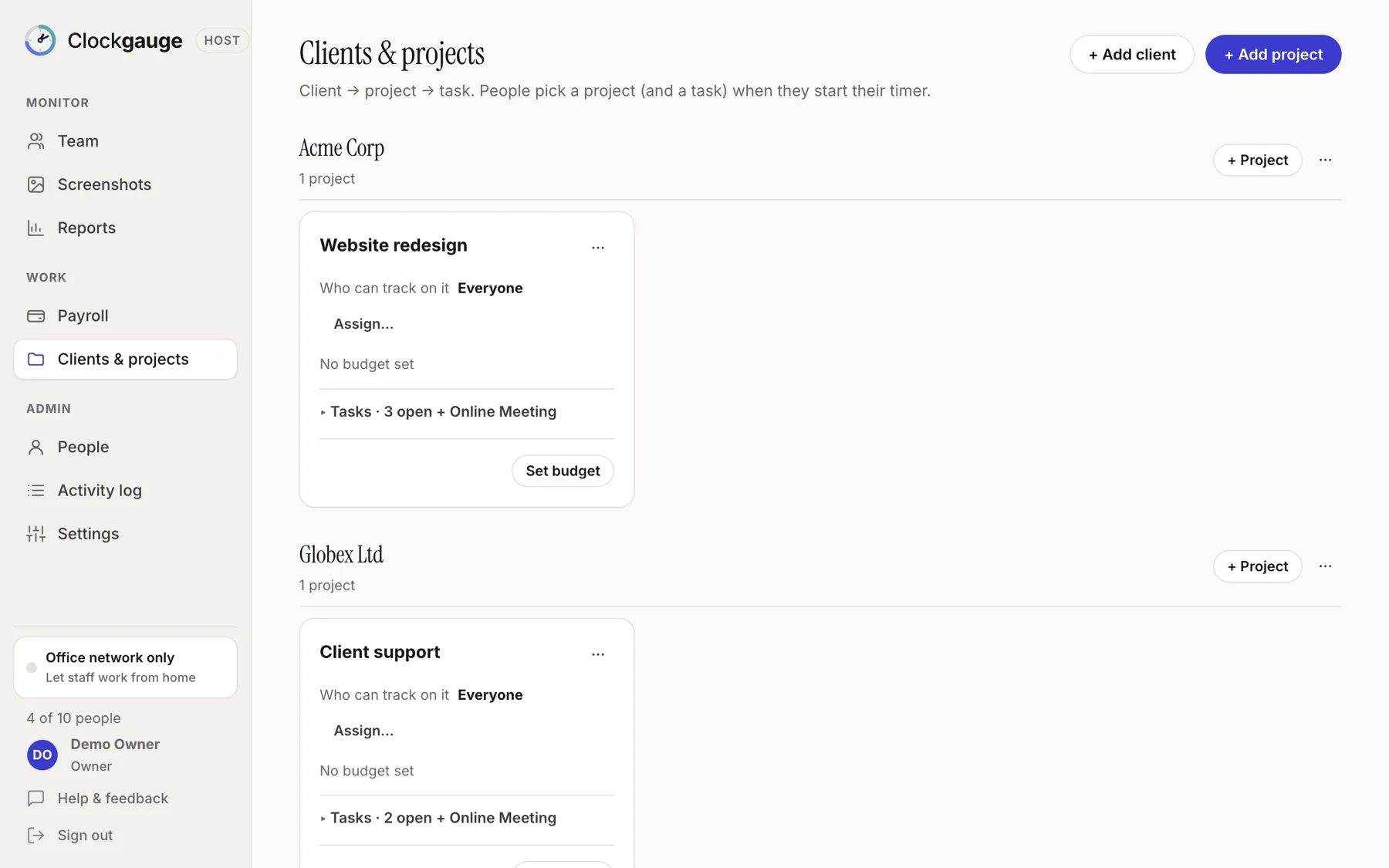
Clockgauge organises work as clients, projects under clients, and tasks under projects. Employees pick a project and a task when they start the timer, and every report can be grouped by person, client, project, task or day. Each project gets a built-in "Online Meeting" task automatically.
The hierarchy
- A client can have many projects.
- A project can have many tasks.
- A project does not have to have a client; it can stand alone.
- Every new project comes with an Online Meeting task that cannot be renamed or removed, so meeting time has a home.
Why project and task are required
By default, an employee cannot start the timer without choosing a project and a task. That keeps the data honest: no minute lands in a bucket nobody chose. You can switch the rule off in Settings.
Setting it up
- Add a client (optional) and a project.
- Add tasks to the project.
- Choose who can track on it; see project assignment.
- Optionally set a budget.
An example structure
| Client | Project | Tasks |
|---|---|---|
| Acme Corp | Website redesign | Homepage design, Checkout flow, QA, Online Meeting |
| Globex Ltd | Support retainer | Tier 2 tickets, Reporting, Online Meeting |
| (none) | Internal | Admin, Online Meeting |
Tips
- Keep task lists short; people choose faster from five items than fifty.
- Use clients for anyone you invoice, and "Internal" for everything else.
- Archive finished projects so pickers stay tidy.
Questions people ask
Can people switch tasks without stopping?
Yes. Switching the task starts a new session so each task's time is recorded separately.
Can I archive a client?
Yes, clients, projects and tasks can be archived.
Try Clockgauge
Clockgauge is an employee and freelancer time tracker that runs on your own computer: timers, consented random screenshots, activity levels, clients, projects and tasks, budgets, payroll balances and reports, paid once instead of per user per month..