



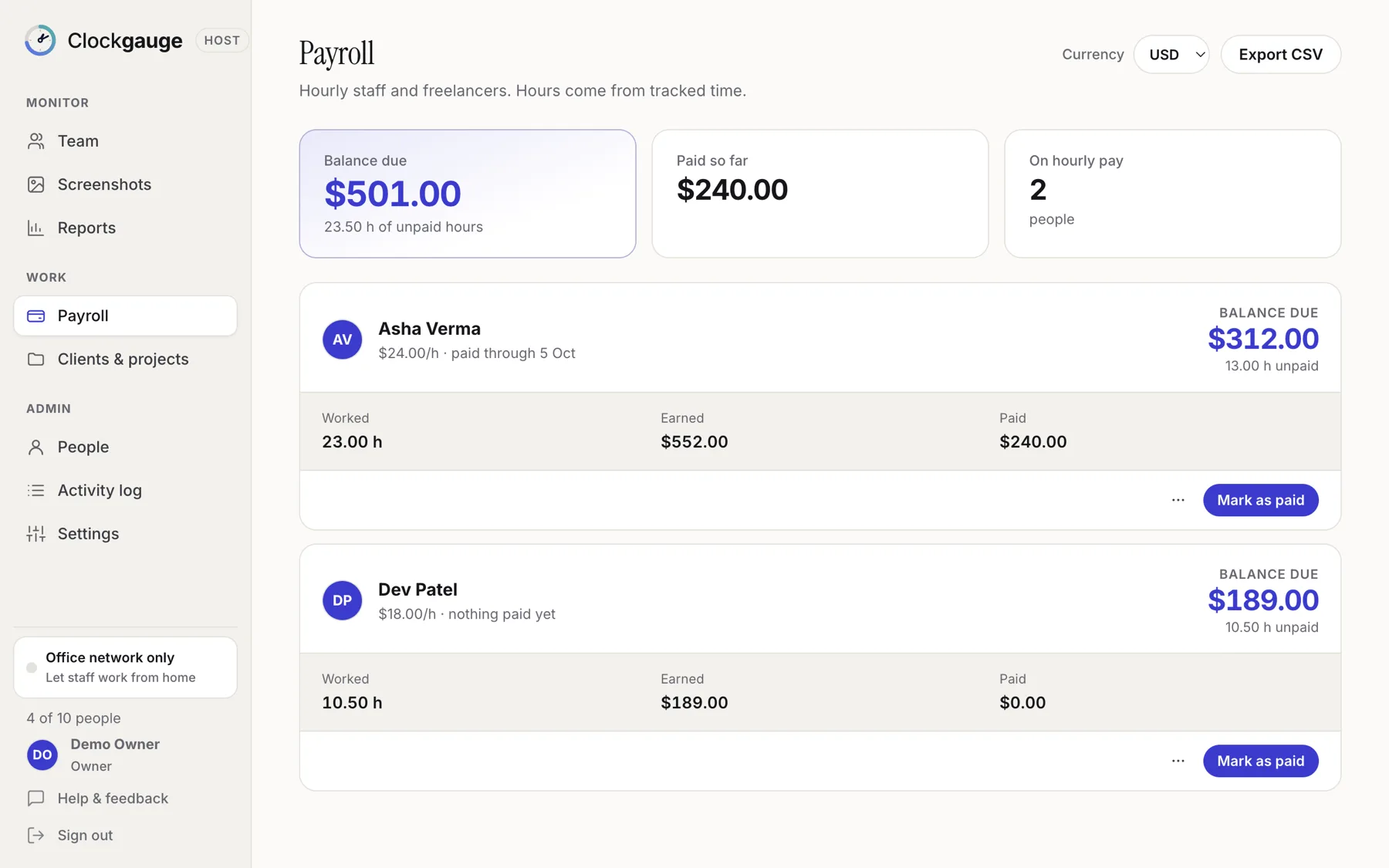
For hourly staff and freelancers, Clockgauge multiplies tracked hours by the rate in force, shows earned, paid and unpaid for each person, and lets you mark an amount as paid (you can edit the amount), put a payment on hold or cancel it. Full-time salaried people can be set up without payment tracking. It records payments; it does not move money.
Rates with history
Set an hourly rate per person. When it changes, the new rate applies from that date and earlier time keeps the old one, so past totals do not change retroactively.
Balances
- Earned: tracked time multiplied by the rate.
- Paid: what you have marked as paid.
- Unpaid: the remaining balance. Pay part of it and the rest stays outstanding.
- On hold or cancelled: payments you pause or void.
If a bill is about $600 and you pay $200, the balance shows $400, not "clear".
Export
Download payroll as CSV, and choose the currency. Because Clockgauge records payments rather than making them, you pay through your own bank or payroll provider and mark it here.
An example week
| Hours | Rate | Earned | Paid | Unpaid | |
|---|---|---|---|---|---|
| Asha | 32.0 | $24 | $768 | $768 | $0 |
| Dev | 10.5 | $18 | $189 | $100 | $89 |
Dev was paid part of the week; the $89 balance stays visible until it is paid or cancelled.
Good practice
- Pay on a fixed schedule and record it the same day.
- Review flagged minutes before paying.
- Keep a note on any hold.
Questions people ask
Does it calculate tax or deductions?
No. It tracks hours, rates and payments, not tax.
Can I undo a payment?
Yes, the latest payment can be undone.
Try Clockgauge
Clockgauge is an employee and freelancer time tracker that runs on your own computer: timers, consented random screenshots, activity levels, clients, projects and tasks, budgets, payroll balances and reports, paid once instead of per user per month..