



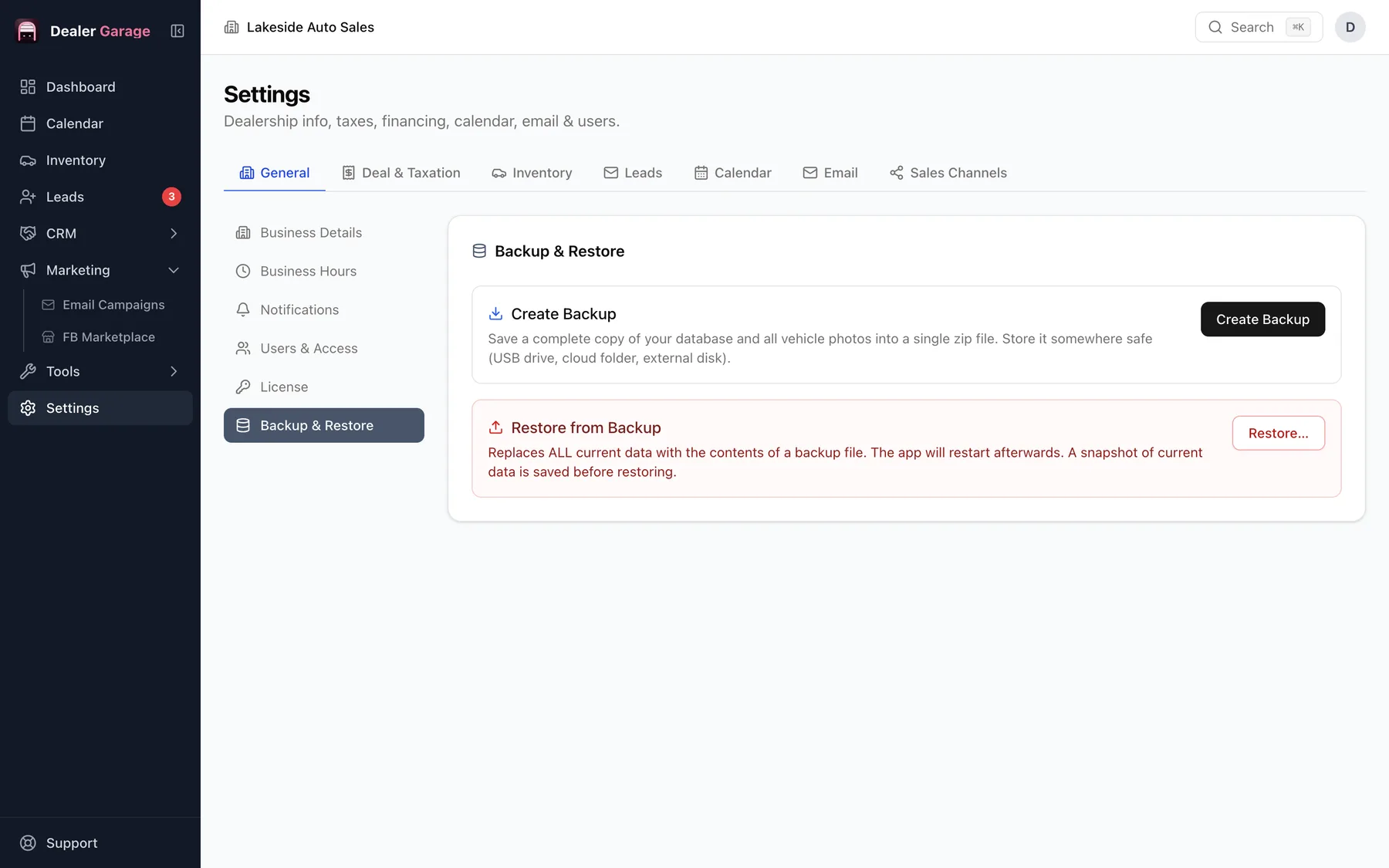
Settings, Backup in Dealer Garage saves the database, photos and documents to one zip file you can store on a drive or in cloud storage. Restore it on the same or a new computer to bring everything back. It is part of the free plan. Because data lives on one computer, backups are your safety net.
What is included
- The database: vehicles, customers, leads, deals and settings.
- Vehicle photos.
- The documents in the built-in drive.
Back up often
Local software puts you in charge of backups. A simple rule: after any day with sales, copy the latest backup file to a second place, such as a USB drive or another computer. Keep a few older ones.
Moving to a new computer
- Back up on the old computer.
- Install Dealer Garage on the new one.
- Restore the backup.
- Move your licence across from the licence settings.
Testing a restore
Once in a while, restore a recent backup on another computer to confirm it works. A backup you have never restored is a hope, not a backup.
Where to keep backups
- An external drive that is not left plugged in all day.
- A second location, such as a home computer or encrypted cloud storage.
- Not on the same computer as the live data.
Questions people ask
Is the backup encrypted?
It is a zip of your data. Keep it somewhere private, since it contains customer information.
Try Dealer Garage
Dealer Garage is installable dealer management software for independent used-car dealers in the US and Canada: inventory, leads, deals, dealer paperwork, Facebook Marketplace posting and email campaigns, with records stored on the dealership's own computer..