



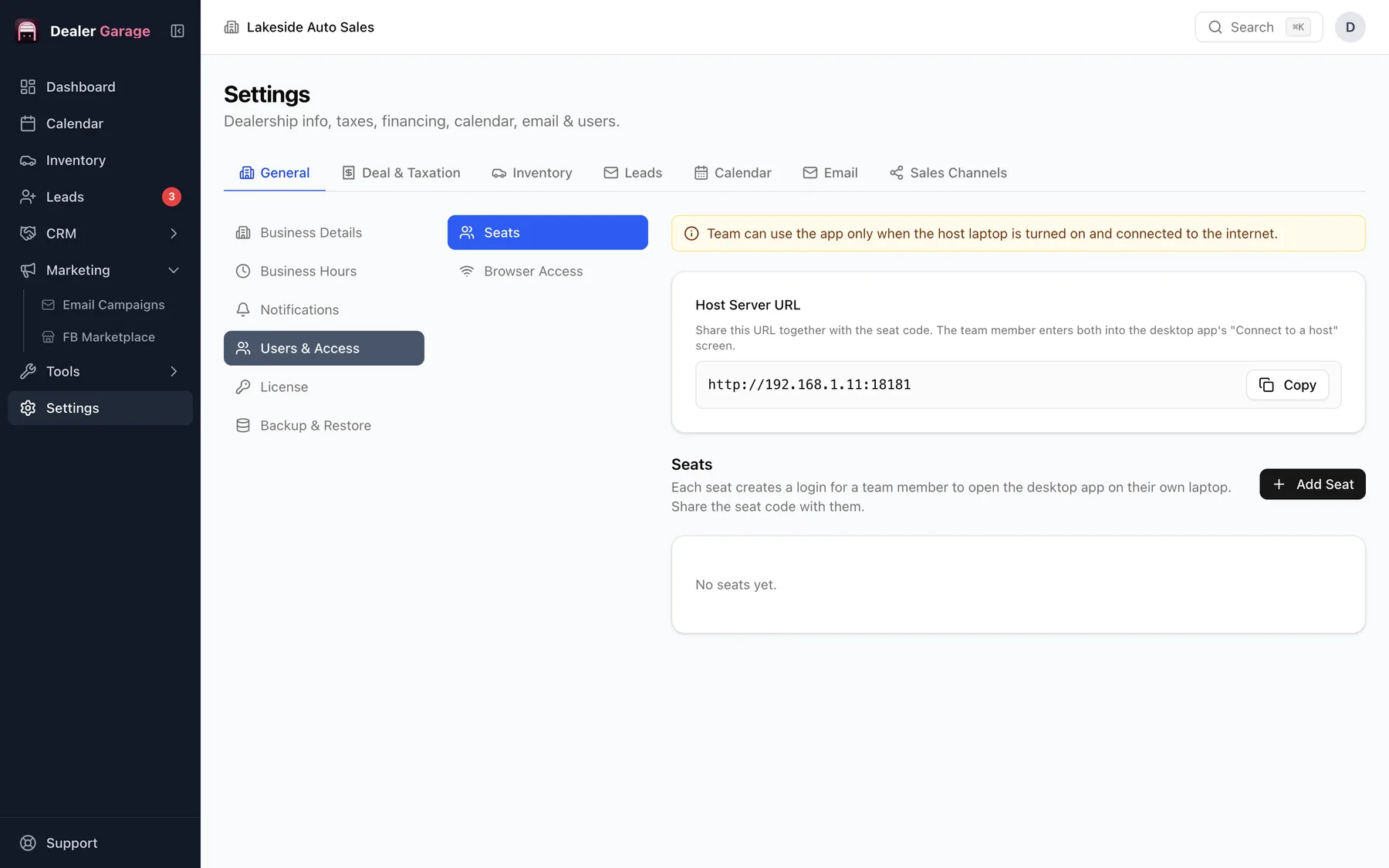
Dealer Garage's Pro plan ($149 once) lets other machines in the office connect to the main computer, which hosts the data. Each staff computer uses a seat key, and people can work at the same time on the same inventory, leads and deals. It also allows access from a web browser on your network.
How it is set up
- Install Dealer Garage on the main computer, which holds the database.
- Activate Pro and create a seat key for each extra machine.
- Install Dealer Garage on each machine and enter its key; it connects to the main computer.
What it means day to day
- Everyone sees the same inventory and leads.
- The main computer must be on for others to work.
- Staff machines need no separate purchase; the seat key comes with Pro.
Backups
Back up the main computer, because that is where the data lives. See backup and restore.
Checklist for a multi-computer office
- A main computer that stays on during opening hours.
- A reliable office network, ideally wired for the main machine.
- A backup routine for the main computer.
- A seat key for each additional machine, kept with the person using it.
If a staff machine cannot connect
- Check both computers are on the same network.
- Check the main computer is on and Dealer Garage is running.
- Re-enter the seat key.
Questions people ask
Do I pay per seat?
No. Pro is a single one-time price with seat keys for your machines.
Does it work over the internet?
It is built for computers on the office network.
Try Dealer Garage
Dealer Garage is installable dealer management software for independent used-car dealers in the US and Canada: inventory, leads, deals, dealer paperwork, Facebook Marketplace posting and email campaigns, with records stored on the dealership's own computer..