



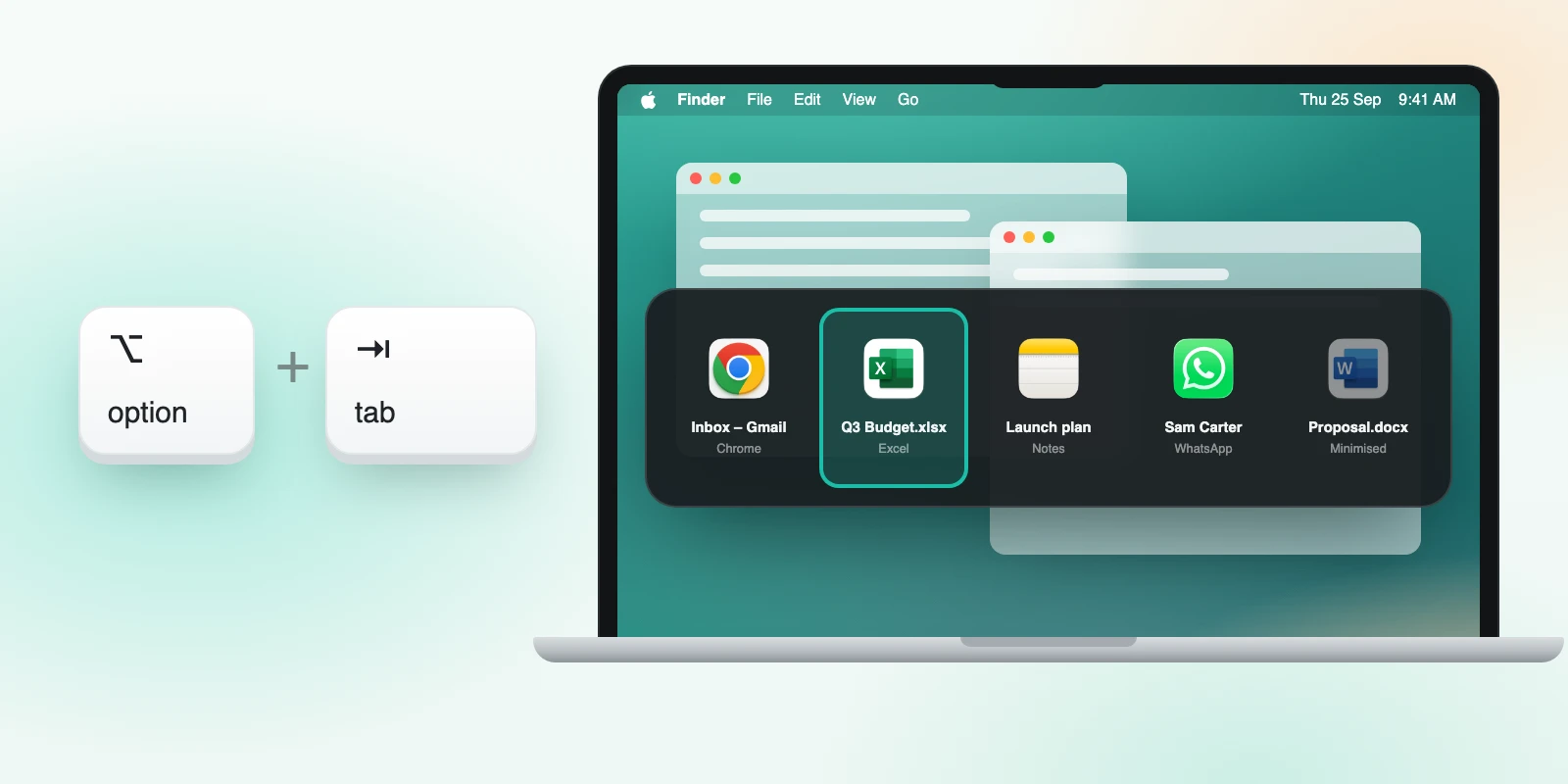
Hold Option and press Tab to bring up every open window across all apps as tiles, most recent first, minimised windows included. Tap Tab again with Option still down to step along, and let go to switch. A quick tap flips between your last two windows. Esc cancels. It is free.
How it works
- Hold ⌥ and tap Tab. A row of tiles appears.
- Keep ⌥ down and tap Tab again to step to the next tile. Arrow keys and the pointer work too.
- Let go to switch to that window. Press Esc to close the switcher without switching.
A single quick tap does something simple: it goes back to the window you used just before this one.
What you see
Each tile shows the window's app icon and title. Titles are what tell two documents or two browser windows apart. Because Casement reads titles rather than capturing pixels, it does not need Screen Recording permission.
How it differs from Command-Tab
| Command-Tab | Casement ⌥ Tab | |
|---|---|---|
| Switches between | Apps | Individual windows |
| Several windows of one app | Needs a second step | Each is its own tile |
| Minimised windows | Not offered | Included |
It sits alongside Command-Tab. Nothing about the built-in switcher changes.
A worked example
You have two Chrome windows (one for each profile), a Pages document, a Terminal and a Finder window open. Hold ⌥, tap Tab and five tiles appear, each labelled with its window title, so the second Chrome window reads as "Client portal" rather than as a second Chrome. Tap Tab twice, release, and you are there.
Tips
- Tap once and release quickly to bounce between your last two windows, which covers most switching.
- Use the arrow keys when you can see the target tile; they move one step without cycling.
- Press Esc if you opened it by mistake.
- Minimised windows are listed, and choosing one restores it.
Why not previews
Window thumbnails need Screen Recording permission, which gives an app access to everything on your screen. Showing names and icons instead keeps the permission list short, so Casement asks for Accessibility only.
Questions people ask
Does it replace Command-Tab?
No. Both keep working.
Can I change the shortcut?
The shortcut is ⌥ Tab.
Does it show previews of window contents?
No. It shows names and icons, which keeps it light and avoids the Screen Recording permission.
Why is a window missing from the list?
Windows on other Spaces or in full-screen apps may not be offered. Utility panels that are not real windows are also skipped.
Try Casement
Casement is a menu-bar app for Mac that puts each Chrome profile in the Dock as its own icon and adds snap layouts, hover-to-focus, a window switcher, Dock window lists, a drop shelf and display controls..