



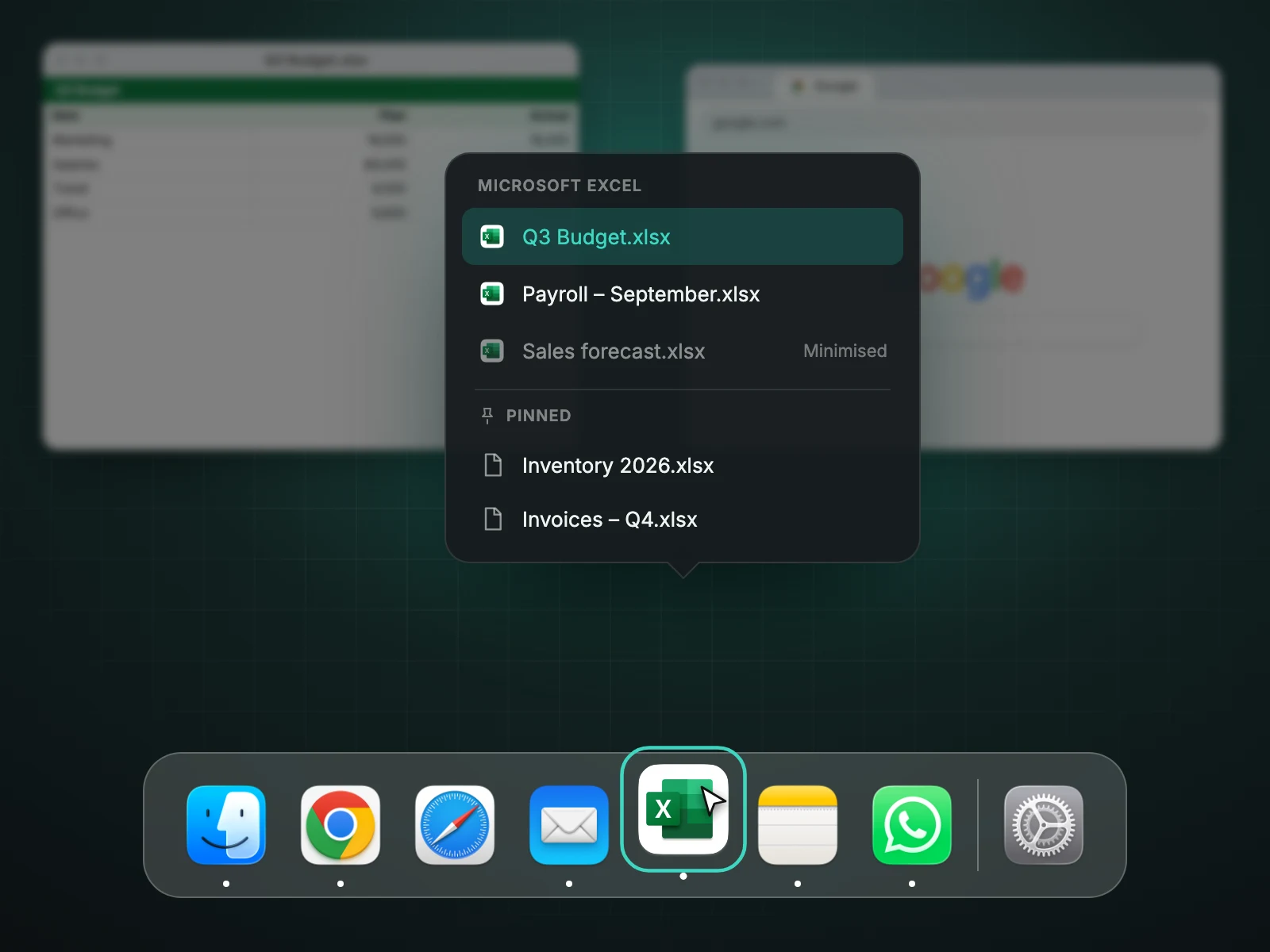
Hover over an app in the Dock and Casement pops up a list of that app's open windows by name, minimised ones included. Click a name to bring that window forward. You can also pin files and pages to the list, per app and per Chrome profile. It is free and uses no Screen Recording permission.
Windows by name
Open windows of an app are often hard to tell apart, especially in a browser or a document editor. The list uses each window's title, so you pick "Quarterly numbers" instead of guessing among thumbnails.
Pinned items
Pin the folders, documents and web pages you reach for every day, and they appear in the same list under the app that opens them. Chrome profiles get their own pinned lists, so Work and Personal do not share shortcuts.
Why names and icons
The list shows plain names and app icons. That keeps the feature fast and means it does not need to record your screen to draw previews.
A worked example
Hover over Chrome and the list shows "Quarterly numbers", "Inbox (12)" and "Competitor pricing" as separate lines, with a minimised window dimmed at the bottom. Click "Inbox (12)" and that window comes to the front. Without the list you would have clicked Chrome, then cycled through windows until you saw the right one.
Pinning
- Pin a folder to open it in Finder from the Finder icon's list.
- Pin the documents you open every morning to your editor's list.
- Pin your dashboard pages to the matching Chrome profile's list, so each profile has its own shortcuts.
Pinned items are kept in Casement's settings on your Mac and do not change the files they point to.
Troubleshooting
- If the list does not appear, check Accessibility permission and that the pointer rests on the icon for a moment.
- Apps with no windows, like some background utilities, have nothing to list.
- Windows in full-screen apps live on their own Space and may not be shown.
Questions people ask
Does it work for every app?
It works for apps that have windows. Apps without windows have nothing to list.
Are minimised windows shown?
Yes, and clicking one restores it.
Where do pinned items live?
They are stored in Casement's settings on your Mac.
Try Casement
Casement is a menu-bar app for Mac that puts each Chrome profile in the Dock as its own icon and adds snap layouts, hover-to-focus, a window switcher, Dock window lists, a drop shelf and display controls..