



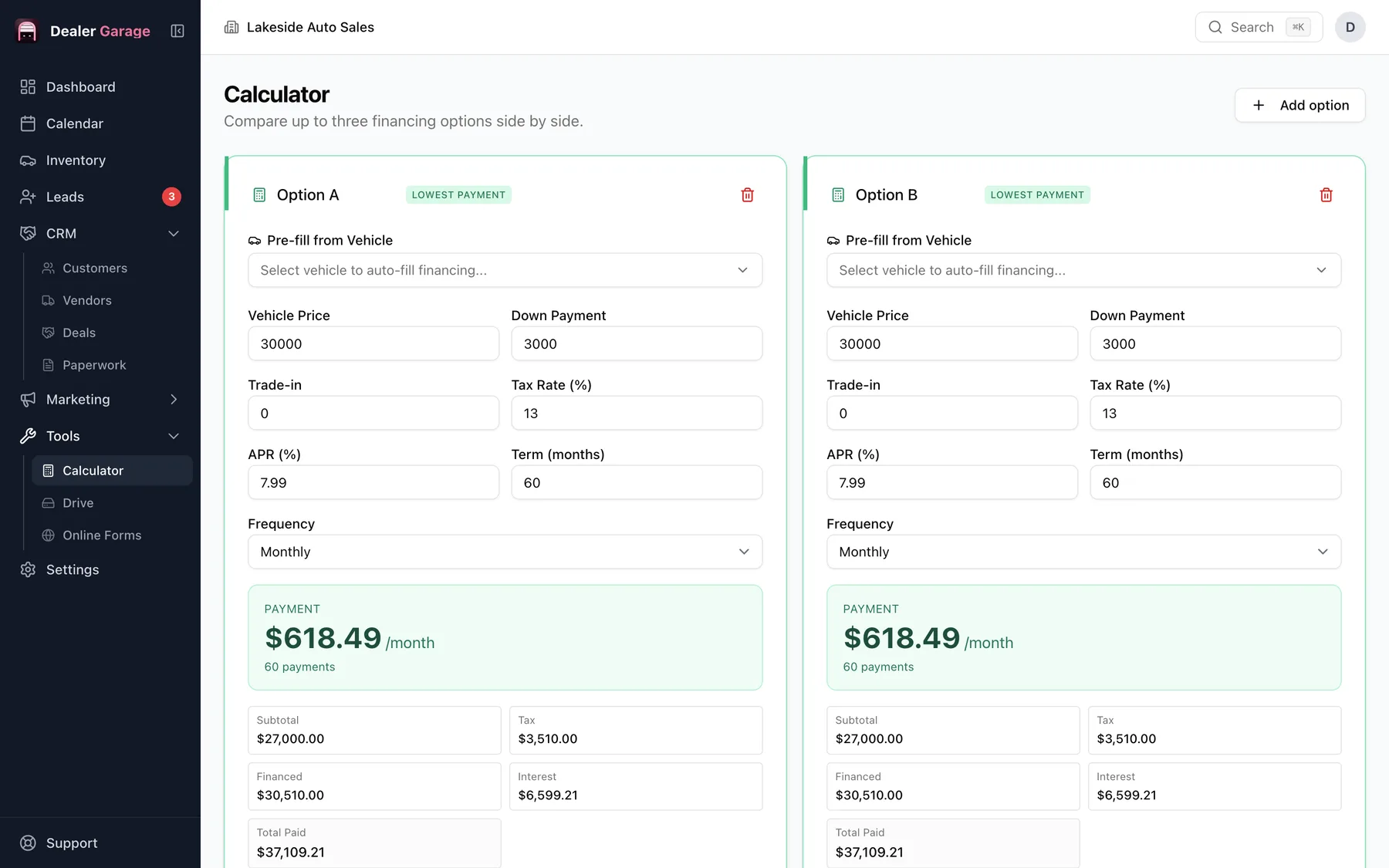
The calculator in Dealer Garage lets you set up several vehicle and finance scenarios at once and compare subtotal, tax, amount financed, interest and total paid, with monthly, bi-weekly or weekly payments. It is built for the desk conversation and is part of the free plan.
What you can set
- Pick a vehicle from stock or enter a price.
- Down payment, trade-in and tax.
- Interest rate and term.
- Payment frequency: monthly, bi-weekly or weekly.
Why side by side
Customers think in payments. Showing a lower price with a longer term next to a higher price with a shorter one makes the trade-off visible. Remove or add options as the conversation changes.
What it is not
It is an estimate tool. Actual finance terms come from the lender, and the printed contract is the binding document.
Using it at the desk
- Pre-fill from a vehicle or type the price.
- Add the down payment, trade-in and tax.
- Enter two or three combinations of rate and term.
- Turn the screen so the customer can compare payments and total paid.
Say clearly that figures are estimates until the lender approves terms.
Questions people ask
Does it include interest?
Yes. It shows interest and total paid for each option.
Try Dealer Garage
Dealer Garage is installable dealer management software for independent used-car dealers in the US and Canada: inventory, leads, deals, dealer paperwork, Facebook Marketplace posting and email campaigns, with records stored on the dealership's own computer..