



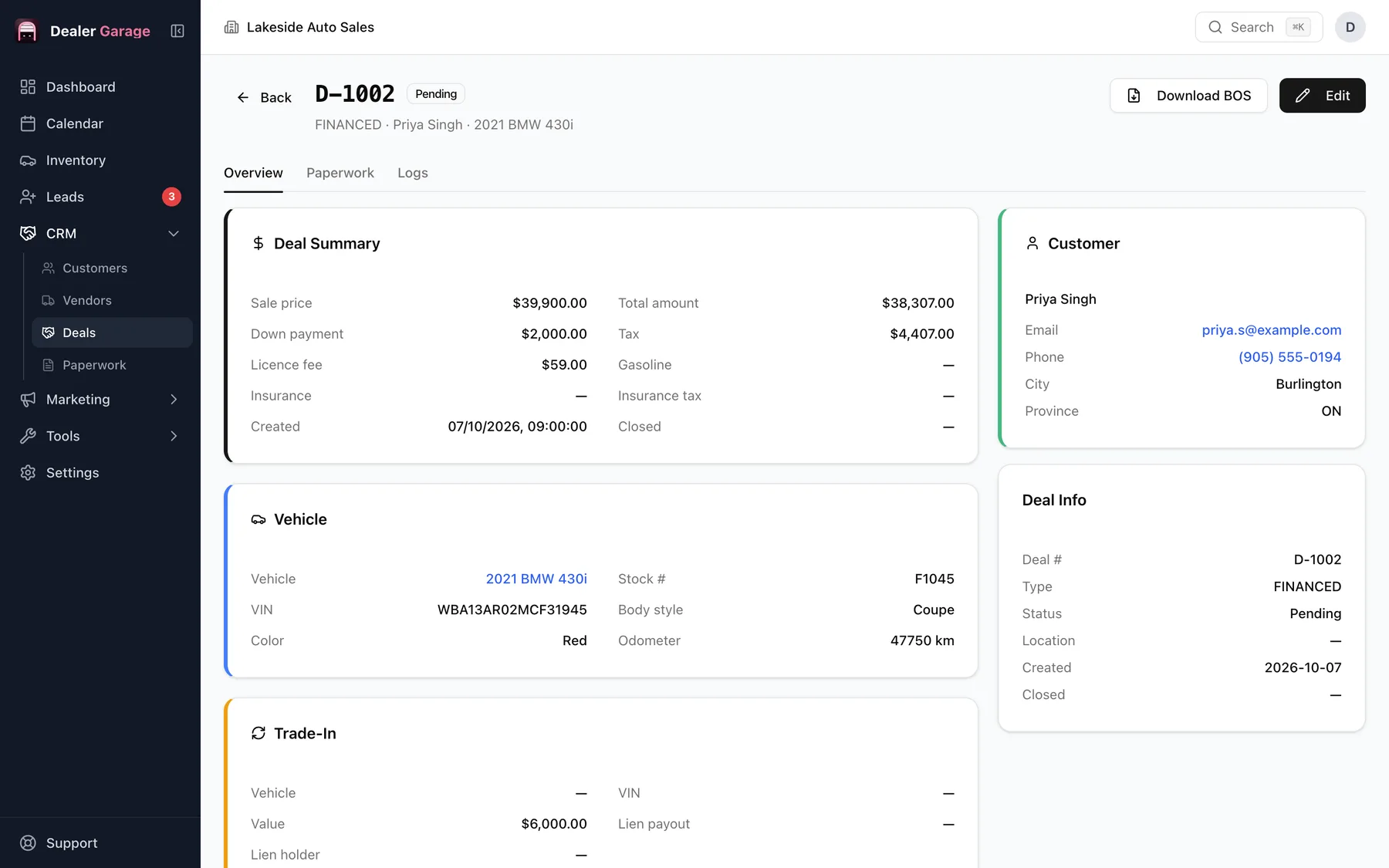
The deal builder adds the selling price, warranties, fees and accessories, subtracts the trade-in, applies the tax components set for your region, then adds licence, fuel, any trade-in lien payout, subtracts the deposit, and adds insurance and lien registration if financed. The total balance due is calculated and flows into the printed paperwork.
How the total is built
- Selling price plus warranties, fees and accessories give the first subtotal.
- The trade-in value is subtracted, giving the net difference.
- Tax is applied to the net difference using the tax lines you have set up (for example HST, or GST and PST).
- Licence fee, gasoline and any trade-in lien payout are added.
- The deposit is subtracted.
- Insurance and its tax are added, along with a lien registration fee on financed deals.
- The result is the total balance due.
Deal types and status
A deal is cash or financed, and moves through Pending, Approved, Completed or Cancelled. A deal links a customer and a vehicle, and its figures feed the paperwork.
Set your taxes once
Tax lines are set under Deal and Taxation in Settings: name each tax and its rate, and enter your registration details. Rates and rules differ by province, territory and state and change over time, so confirm yours with your regulator or accountant. Dealer Garage calculates with the numbers you give it.
From deal to paperwork
The figures on the deal fill the bill of sale and other forms, so nothing is typed twice. See the forms.
A worked example
| Line | Amount |
|---|---|
| Selling price | $19,850.00 |
| Warranty | $1,200.00 |
| Fees and accessories | $500.00 |
| Subtotal | $21,550.00 |
| Trade-in allowance | − $4,000.00 |
| Net difference | $17,550.00 |
| Tax at 13% (one line) | $2,281.50 |
| Licence fee | $59.00 |
| Subtotal 2 | $19,890.50 |
| Deposit | − $1,000.00 |
| Balance due | $18,890.50 |
The tax rate here is only an example; enter your own. Dealer Garage applies the tax lines you set to the amount after the trade-in allowance, then adds licence, fuel and any lien payout.
Checks before you print
- Confirm each tax name and rate in Settings.
- Check the trade-in allowance and the lien payout separately.
- Read the balance due against the buyer's expectation before paperwork is signed.
Questions people ask
Does it know my local tax rate?
You enter the tax names and rates. Dealer Garage then applies them.
Can I print the deal?
Yes, as a bill of sale and other forms.
Does it handle trade-ins?
Yes: trade-in value and any lien payout are included.
Dealer Garage does calculations from the rates you enter. It does not provide tax or legal advice.
Try Dealer Garage
Dealer Garage is installable dealer management software for independent used-car dealers in the US and Canada: inventory, leads, deals, dealer paperwork, Facebook Marketplace posting and email campaigns, with records stored on the dealership's own computer..