



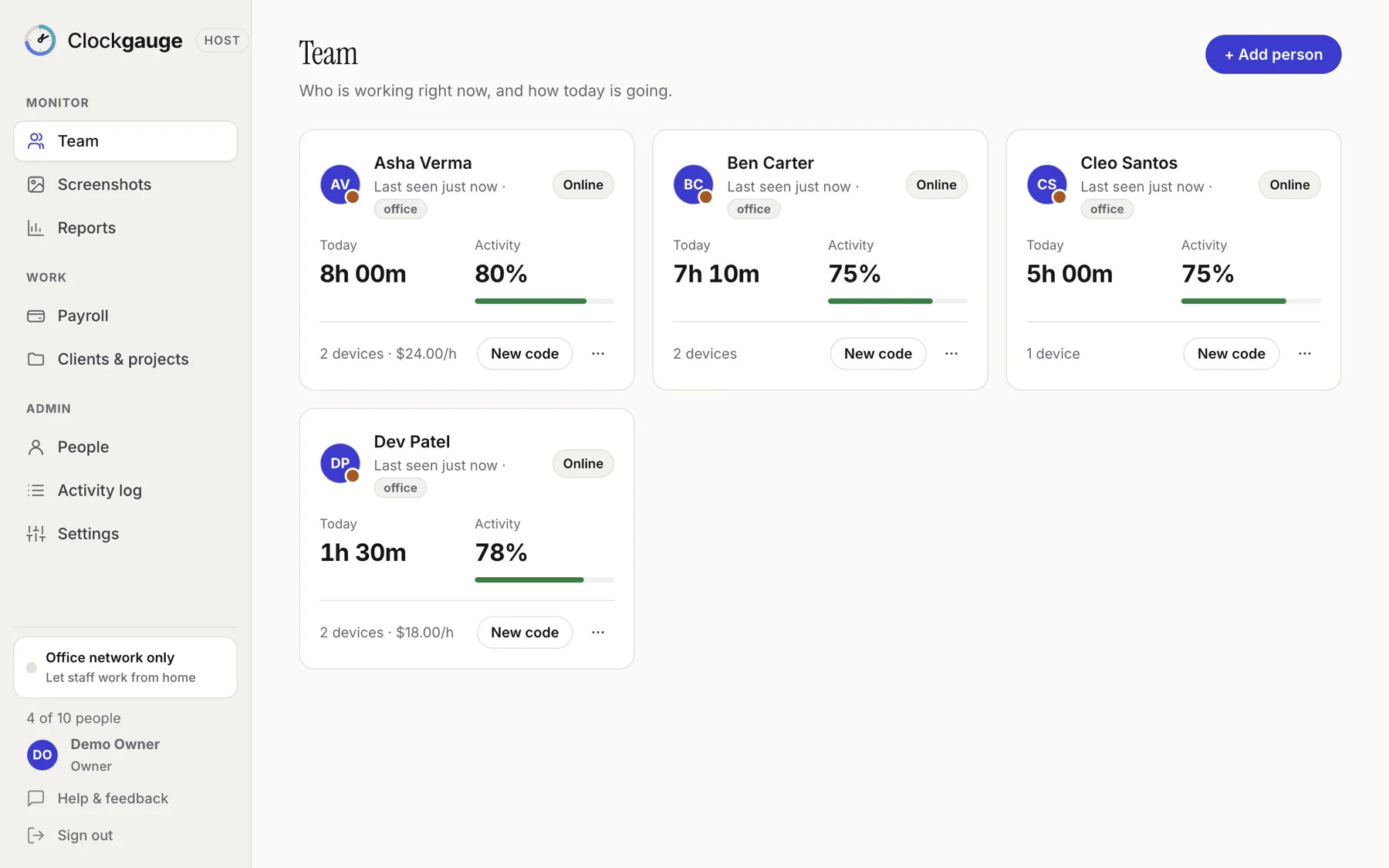
Clockgauge has two apps: the Host, which runs on an office computer and shows the dashboard, and the employee app, where each person starts and stops a timer. The Host shows who is online, tracking and how active they are today. Data stays on the Host computer. It is free for one host and one employee, and a one-time purchase beyond that.
How it fits together
- Install Clockgauge Host on a computer in the office. It keeps the database and shows the dashboard.
- Add people. Each gets a one-time code.
- They install the employee app, enter the code, read what is recorded and agree.
- They start the timer, choose a project and task, and work. The Host updates as they go.
The team view
The Team page shows a card for each person: online, tracking or offline, time tracked today, activity level, devices and, where relevant, their hourly rate. A new person sees a short guided setup. You can see at a glance who is working on what, without asking.
What the employee sees
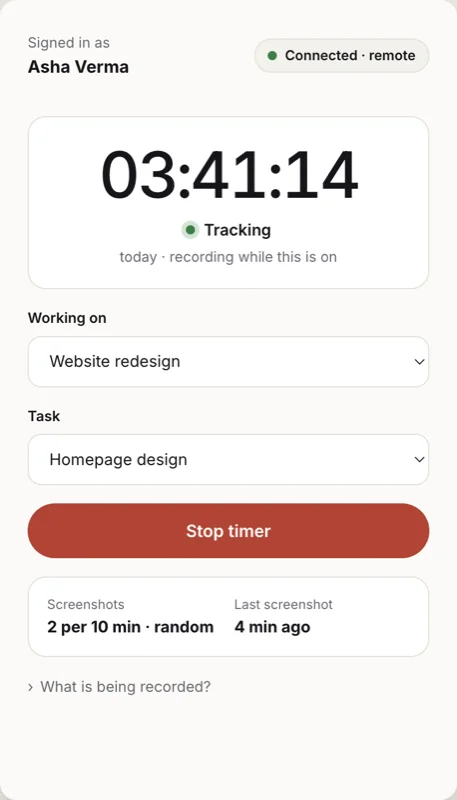
The employee app is deliberately small: a timer, a project picker, a task picker and a line saying what is being recorded. Clockgauge records only while the employee's own timer is running, and shows them exactly what it records before they start.
Why self-hosted
- Your records are on your own computer, not pooled on a vendor's servers.
- There is no per-user subscription; see pricing.
- It keeps working on your network if the internet is down.
A first week
- Monday: install the Host, create your owner account and add two people as a pilot.
- Tuesday: set up a few clients, projects and tasks; assign the pilot people.
- Wednesday: the pilot staff install the app, read the consent screen and start timers.
- Thursday: look at the Team page and a first report together with them.
- Friday: adjust settings (screenshots per window, blur, retention) and add the rest of the team.
Who it suits
- Small teams and agencies that want hours by client without a per-user subscription.
- Businesses paying hourly staff or contractors.
- Managers who want a consent-based approach to monitoring.
It is less suited to organisations that need managers to sign in from many places or hundreds of locations; see self-hosted time tracking explained.
Questions people ask
Does it need a cloud account?
No. The Host is your own computer. A small matchmaking service helps remote staff reach it; it never carries screenshots or activity.
How many people can I track for free?
The free plan covers one host and one employee.
Which computers does it run on?
Mac (Apple Silicon and Intel) and Windows 10 and 11, 64-bit. The Host and the employee apps can be on different systems.
Try Clockgauge
Clockgauge is an employee and freelancer time tracker that runs on your own computer: timers, consented random screenshots, activity levels, clients, projects and tasks, budgets, payroll balances and reports, paid once instead of per user per month..